Every portrait prompt in the library, complete and copyable from this page. Open any prompt page for the real before/after and step-by-step.
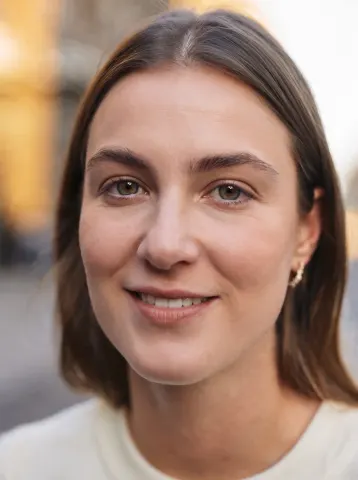
Keep this person's identity completely unchanged: same face shape, same facial features, same eye shape and colour, same nose, same mouth, same hairline and hairstyle, same skin tone, same ethnicity, same age, same build. It must read as the same person, not a lookalike.

Re-pose them into a straight-on corporate headshot. This is the most important instruction — do not keep the original head angle:
- Rotate the head to face the camera directly, squared to the lens. No three-quarter turn, no tilt, no chin-down or chin-up angle, not looking off to the side.
- Eyes looking straight into the camera lens.
- Shoulders squared to the camera and relaxed, chin level and very slightly forward, spine tall.
- Calm, confident, closed-mouth smile — approachable, not stiff.

Wardrobe: a well-tailored navy suit jacket over a crisp white shirt. Clean and modern, no loud patterns, no visible branding.

Background: a softly blurred modern office — floor-to-ceiling windows, daylight, neutral tones. Shallow depth of field so the background falls well away from the subject.

Lighting: a large soft key light about 45 degrees off-axis, gentle fill on the shadow side, and a subtle hair/rim light to separate the subject from the background. Natural catchlights in both eyes.

Camera: shot on an 85mm portrait lens at f/2.8, camera at eye level, head-and-shoulders crop with a little headroom.

Photorealism is critical. This must look like a photograph, not a render:
- Keep visible skin texture — pores, fine lines, natural imperfections. Do NOT smooth the skin into plastic or wax.
- Keep natural facial asymmetry. Perfectly symmetrical faces read as fake.
- Real fabric texture with natural folds and weave in the suit and shirt.
- Individual hair strands, including a few natural flyaways — not painted-on hair.
- Neutral, true-to-life colour. No HDR glow, no heavy vignette, no beauty filter, no airbrushing, no artificial sharpening halos.

No text, no logos, no watermarks, no borders.
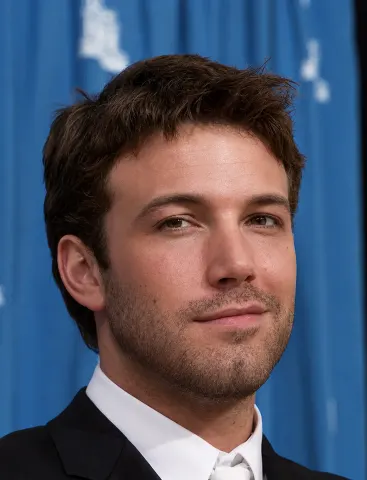
Ultra-high-resolution 4K upscaling based on the exact given reference image of Cristiano Ronaldo. Absolute fidelity to the original facial anatomy, proportions, and identity. Maintain expression, gaze, pose, camera angle, framing, and perspective without distortion.
Clothing, hair, skin, and background elements must remain unchanged in structure, placement, and design. Restore fine details with natural realism. Enhance pores, fine lines, hair strands, eyelashes, fabric weaves, seams, and material edges without adding stylization.
Maintain the original color science, white balance, and tonal relationships exactly as captured. Lighting direction, intensity, contrast, and shadow behavior must match the source image exactly, only with increased clarity and expanded dynamic range.
No relighting, no reshaping. Remove noise. Apply controlled sharpening and reconstruct high-frequency details. Eliminate compression artifacts and noise while maintaining authentic textures. No smoothing, no plastic skin, no artificial shine.
Facial features must remain consistent throughout the image with coherent anatomy and clean, stable edges.
Negative constraints:
• No distortion
• No facial shifts
• No addition or subtraction of anatomy
## Raw iPhone Selfie Aesthetic Prompt

Raw iPhone selfie aesthetic. Subjects from reference images standing close together, both leaning slightly into frame, casual shoulder-to-shoulder composition, direct gaze into camera with relaxed neutral expressions. Handheld at arm's length with slight upward tilt. Soft indoor lighting mixed with phone flash causing mild overexposure on highlights and shadow falloff. Natural skin texture visible with pores and subtle makeup detail. Stray hairs and fabric creases present. Background loosely visible with everyday environment elements slightly out of focus. Minor motion blur on edges. Slight lens distortion from close proximity. Off-center framing with imperfect crop. Subtle ISO grain and uneven white balance. Unpolished, candid realism.
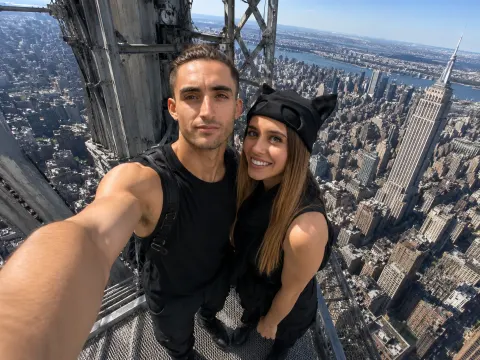
iPhone front camera selfie, use the uploaded reference images only for the identities of the two people, preserving their facial features, hairstyles, body proportions, and overall appearance. Do not copy the clothing from the reference images. Dress them in coordinated black streetwear inspired by urban climbing aesthetics: black cargo pants, black sleeveless tops, combat boots, one person wearing a black cap, the other with a black scarf loosely around the neck, faces fully visible. The two people are taking a spontaneous selfie from the very top maintenance platform of the Empire State Building, standing on the small exposed steel platform directly beneath the antenna, with no tourists or other people visible anywhere. Massive steel framework surrounds them while the Manhattan skyline stretches far below in every direction, emphasizing the extreme height. One person holds the phone naturally at arm's length using the front camera. They lean slightly toward each other, looking directly at the screen instead of the lens, with relaxed expressions as if capturing a quick memory rather than posing. Authentic iPhone front camera look, 24-26mm equivalent ultra-wide lens, slight barrel distortion around the edges, visible outstretched arm, natural hand position, imperfect framing, slight horizon tilt, casual crop, tiny finger shadow near one corner, subtle HDR processing, slightly over-sharpened smartphone details, realistic skin texture with pores and small imperfections, wind-blown hair, clothing wrinkles, mild highlights from harsh midday sun, realistic auto exposure, slightly lifted shadows, faint lens smudging, minimal digital noise, natural color science, looks like an unedited iPhone selfie posted straight from the camera roll, photorealistic, candid, not professional, not cinematic, not influencer-style, believable tourist snapshot.
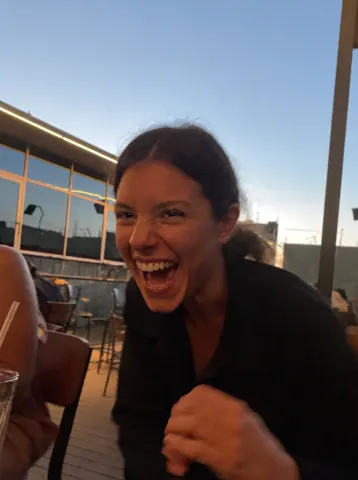
Open the closed eyes in this photo naturally while keeping the person's identity, expression, pose, hair, lighting, and the entire scene completely unchanged.

Reconstruct the open eyes with complete fidelity to the person's real facial anatomy: natural eye shape matching their bone structure, realistic iris color, and catchlights consistent with the scene's actual lighting. Both eyes should be equally and naturally open, with an expression that matches whatever the face is doing — a laugh keeps joyful eyes, a calm face keeps relaxed ones. Eyelids, lashes, and the surrounding skin must blend seamlessly with the real skin texture.

Do not beautify anything: no smoothing, no reshaping, no change to the smile, teeth, hair, background, colors, grain, or composition. If the photo has a casual phone-camera character, keep it exactly.

The final result should look like the same photo taken a half-second earlier, before the blink — completely natural, with no trace of editing.
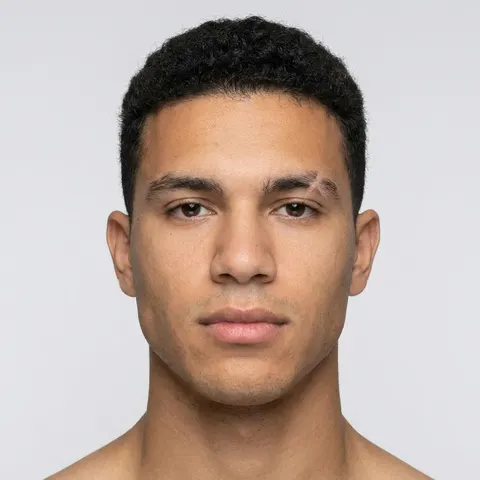
Recrop and reformat this uploaded photo into a clean, standard ID-style headshot. Adjust the framing to head-and-shoulders proportions, centered, with the subject facing directly forward, neutral relaxed expression, eyes open, mouth closed. Replace the background with a plain, even light-gray studio backdrop with no shadows. Apply soft, even, shadowless studio lighting across the face to match professional photo booth standards.

This is a formatting and lighting correction only — no document elements, borders, printed text, security features, or frame of any kind. The output should be a clean, correctly proportioned photo of the person, ready to be used wherever a standard ID-style photo is required.
Correct unflattering low camera angle subtly naturally
Reduce double chin caused by perspective distortion
Define jawline through lighting and angle correction
Preserve identity, face, anatomy, expression, composition fully
Preserve absolutely everything about the original image:
identical person
identical pose
identical clothing
identical facial expression
identical lighting
identical framing
identical shadows
identical colors
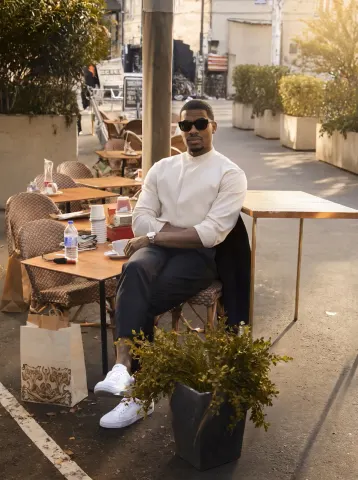
identical café atmosphere
Remove only distracting clutter:
traffic cones
cables
trash
plastic bottles
signs
parked scooter
messy tables
loose objects
random bags
construction barriers
cigarette butts
unnecessary street clutter
Naturally reconstruct every removed area using surrounding pavement, tables, walls, plants, chairs, and architectural textures.
The finished image should feel like the exact same café moments after someone professionally cleaned the scene.
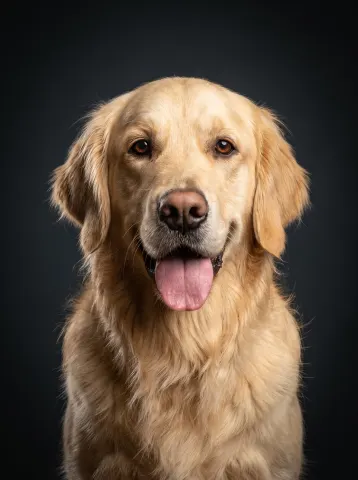
Transform this casual photo of a pet into a professional studio portrait while keeping the exact same animal completely recognizable — identical breed, fur color and texture, markings, expression, and eyes, with any flash red-eye corrected to the pet's natural eye color.

Place the pet against a deep charcoal studio backdrop with a subtle vignette. Light it like a professional pet photographer: a large softbox key light creating soft dimensional modeling across the fur, a gentle rim light separating the animal from the backdrop, and rich, sharp detail in every strand of fur or whisker. Compose it as a classic head-and-chest portrait, centered, shot at the pet's eye level. Remove the original background entirely.

Do not change the pet's proportions, expression, or personality — a tongue-out goofy grin stays a tongue-out goofy grin. No cartoonish smoothing, no exaggerated eyes.

The final result should look like a gallery-quality studio portrait of this exact animal — warm, premium, and true to them: the kind of photo people frame.
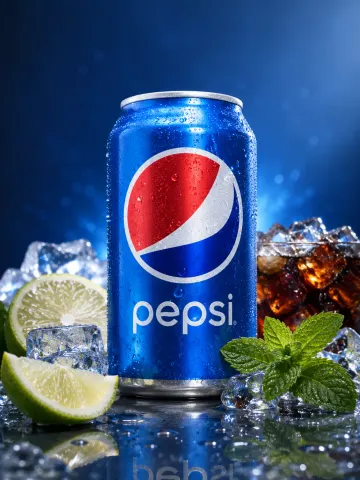
Product studio transformation. Isolate the product from the reference image and rebuild as a premium ad composition, hero product centered and sharply in focus, surrounded by its key ingredients arranged with intention and depth. Ingredients fresh and tactile: sliced, crushed, or whole depending on context. Composition balanced but not perfectly symmetrical. Clean surface with subtle reflections. Background designed to match the product's color palette and mood, soft gradients or tonal transitions. High-end studio lighting with controlled highlights and gentle shadow falloff. Crisp edges with slight natural shadow grounding the product. Micro-details visible: condensation, texture on ingredients, fine surface imperfections. Minimal but intentional negative space. No clutter beyond ingredients. Polished commercial finish without looking artificial. Accurate color rendering and realistic material response.
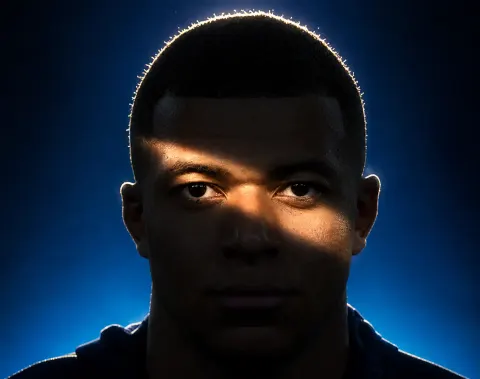
Use the first image as the base image. Preserve the exact facial structure, features, proportions, expression, gaze, pose, camera distance, framing, hairstyle, and clothing with zero alterations. Do not reshape or reinterpret the subject in any way. Completely relight the scene using dramatic low-key cinematic lighting. The face falls mostly into deep shadow, with one defining element: a narrow diagonal band of hard light cutting across the face at the eye level, entering from the upper left and descending toward the lower right, illuminating the left brow, both eyes, the bridge of the nose, and the top of the right cheekbone, like a slash of light across an otherwise darkened face. The edges of this light band are defined but naturally feathered, as if cast through a narrow opening, with realistic falloff. Everything outside the band — forehead, lower cheeks, mouth, jaw, neck, and torso — sinks into near-black shadow while retaining subtle detail in the darks. Eyes remain sharp and luminous inside the lit band, acting as the absolute focal point. Add a hard light source positioned high and behind the subject creating a bright rim of light tracing the outline of the hair, catching individual backlit strands and separating the silhouette from the background with a warm glowing halo that conveys depth. Skin texture stays natural and detailed in the lit areas, no artificial smoothing. Replace the background with a deep blue gradient, brighter toward the lower frame and darkening toward the upper corners, with a subtle atmospheric glow behind the head reinforcing the rim light. Moody chiaroscuro editorial portrait aesthetic, crushed blacks with retained detail, gentle bloom on the brightest highlights, cinematic color grade of cool blue tones contrasted with warm skin highlights.
Preserve the person’s identity exactly:
identical face
identical hairstyle
identical expression
identical pose
identical body proportions
identical clothing
identical lighting
identical framing
identical colors
Professionally retouch the portrait while maintaining a completely natural appearance.
Perform subtle high-end beauty retouching:
remove acne and blemishes
reduce redness
even out skin tone
soften under-eye darkness
reduce flyaway hairs
lightly whiten teeth
enhance eyes naturally
improve lip texture
gently smooth skin while preserving pores and realistic texture
improve overall clarity and contrast
The result should resemble a luxury magazine editorial retouched by a professional beauty retoucher—not AI generated or over-smoothed.
## Photo Restoration Prompt

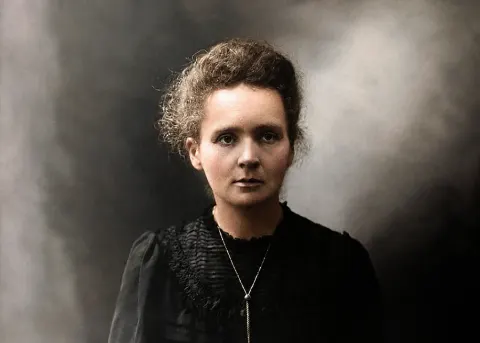
Restore this photo using period-accurate techniques, addressing all age-related damage: blurring, tears, folds, fading, scratches, worn-out areas, and black-and-white conversion. First analyze the image to identify the approximate era and apply historically accurate restoration. Gently sharpen soft edges and facial features without overdoing it. Smooth grainy spots and noise where present. Reconstruct missing parts with realistic textures matching the original. If colors are faded or absent, restore them naturally and vibrantly but true to the era's photographic technology, balance colors to match natural lighting, adjust brightness and contrast so everything pops without looking artificial, maintain original tonality. Restore fine details on faces, objects, and backgrounds that may have been lost, fine lines in clothing, lifelike skin textures, small environmental elements, while keeping the overall feel authentic, preserving natural grain patterns, and not changing the composition. Ensure the whole image is balanced with no harsh shadows or washed-out areas. Remove technical defects while respecting the nostalgic charm and exposure qualities of the time. Upscale to Full HD for better clarity. Final output must read as a professionally restored, photo-realistic result.
Remove acne, pimples, spots, blackheads, uneven texture
Smooth skin naturally, preserving pores and undertones
Keep eyes, brows, lashes, beard, hair intact
Premium realistic retouch, sharp, clean, editorial finish
Image edit directive, convert the subject from the input photo into a clean professional studio headshot while preserving the exact clothing, hairstyle, and accessories from the original image. Studio portrait look. Tight head and shoulders framing, centered composition, neutral confident expression, eyes directly toward camera. Professional talent headshot aesthetic used by casting agencies and magazine profiles. Background minimal seamless light grey studio backdrop with soft falloff. No visible texture or environment. Lighting setup high end studio beauty lighting. Large soft key light slightly above eye level, centered but angled down. Soft fill from front to remove harsh shadows. Subtle rim light behind shoulders for separation. Even illumination across face with gentle shadow under jawline. Catchlights visible in both eyes. Camera perspective eye level. Shot on common 85mm 118 portrait lenses. Crisp focus on eyes, shallow depth of field so ears and shoulders fall slightly softer. Skin rendering realistic and professional. Natural pores visible, subtle skin texture, no plastic smoothing. Balanced color grading, neutral skin tones, clean contrast. Hair carefully groomed but natural. Individual strands visible. Clothing preserved exactly as in the source image with accurate fabric texture, folds, and color. Retouch level magazine professional but realistic. Remove temporary blemishes only keep natural facial structure, freckles, pores, and fine lines. Final look polished agency headshot. Neutral background, balanced lighting, symmetrical framing, professional studio finish.
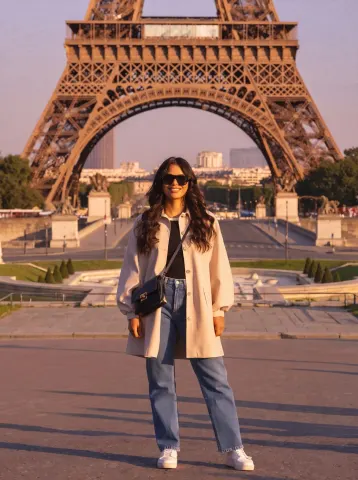
Use the Tourist Remover prompt from the library on Image 1.
The generated image must preserve every aspect of the original photograph:
identical woman
identical face
identical pose
identical clothing
identical expression
identical hairstyle
identical camera angle
identical framing
identical lighting
identical shadows
identical colors
Remove every tourist from the background while naturally reconstructing the environment by extending pavement, architecture, sky, foliage, distant buildings, and environmental textures. Maintain perfect perspective, lighting direction, depth of field, grain, and color consistency.
The final image should appear as though the location was completely empty when photographed.
No text. No logos. No watermark.
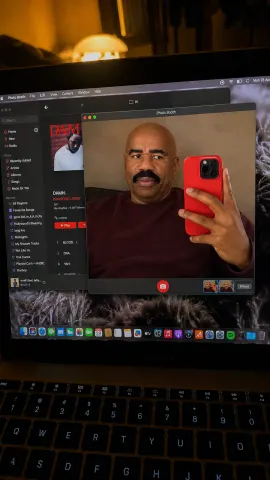
Ultra-realistic iPhone photo of a MacBook screen, identity preserved exactly from reference image. A realistic handheld phone photo taken of an open MacBook screen in a dim bedroom or desk setup. The laptop keyboard is visible at the bottom foreground, slightly out of focus. The MacBook screen fills most of the frame at a slight angle, with visible glare, reflections, screen moiré, and real low-light noise. On the laptop screen, Photo Booth is open in the center. The Photo Booth window shows a man taking a mirror-style selfie inside the webcam/photo window. He is angled sideways, face in three-quarter profile, looking off to the left. His other hand holds a bright red phone close to the right side of the Photo Booth frame, partially covering his body. He has hair styled as the reference image. Expression is bored, pretty, slightly dramatic. MacBook screen details: Photo Booth window centered with dark grey interface red camera shutter button at the bottom center of the Photo Booth window small thumbnail strip visible in the bottom-right of the Photo Booth window Apple Music app open behind it on the left side album artwork and playlist/sidebar visible behind the Photo Booth window desktop dock icons visible along the bottom warm lamp glow near top edge of the screen messy textured/fur-pattern wallpaper behind windows Important: this is NOT just a selfie. It must look like a real iPhone photo taken of a MacBook screen showing Photo Booth. Lighting: dark cozy bedroom lighting, warm lamp reflection, screen glow illuminating the laptop, slight camera shake, realistic phone-photo blur. Natural skin texture inside the screen, realistic laptop pixels, screen reflections, no beauty filter, no smoothing. 4K vertical 9:16. outfit : dark red sweatshirt.
Use the reference image as the base image. Preserve the exact pose, framing, camera distance, facial structure, expression, hair placement, clothing, and accessories with zero alterations. Do not modify the subject's face shape, features, or proportions in any way.
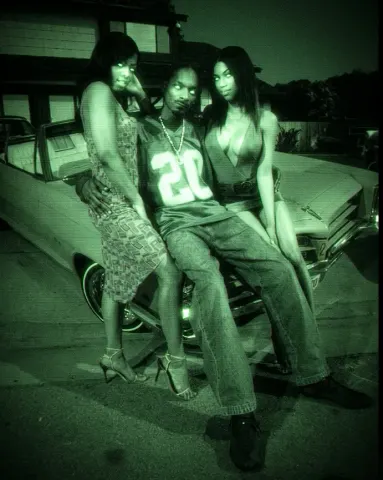
Transform the image into an early-2000s CCD camcorder NightShot infrared capture. Apply a monochromatic green night vision color grade across the entire frame, with deep murky green shadows and bright phosphor-green highlights, with no other hues present.
Simulate infrared illumination coming from the camera position, making skin, eyes, and reflective surfaces glow slightly brighter than the surroundings while the background falls into dark green murk.
Add heavy digital sensor noise and coarse luminance grain typical of low-light CCD sensors, with visible speckling across shadows and midtones. Introduce soft focus and mild bloom on highlights, slight chromatic smearing on bright edges, and gentle vignetting toward the corners.
Use a low dynamic range with crushed blacks and clipped glowing highlights. Add subtle interlacing texture and soft VHS-era digital compression artifacts. Include slight motion softness as if captured handheld on a consumer camcorder at night.
Recover the blown-out highlights in this uploaded photo. Pull detail back into the overexposed areas — the sky, the skin, any white clothing — until texture and colour return where the image had gone flat white. Rebalance the overall exposure so the midtones sit naturally and the shadows keep their depth.

Keep the subject's identity, pose, framing and the direction of the light exactly as they are. This is an exposure correction, not a relight and not a recomposition. Preserve the existing grain and skin texture — do not smooth skin, do not add plastic sheen, do not introduce HDR halos or grey flatness around recovered edges.

The final result should look like the same photo taken with the exposure set correctly in the first place.
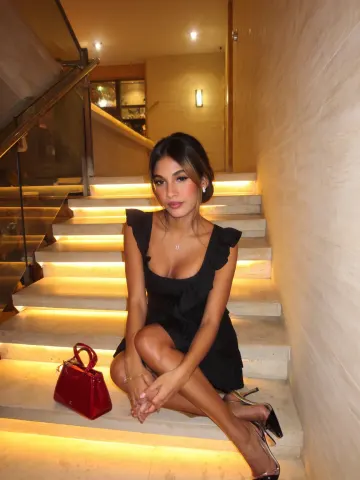
SHOT: • Composition: Eye-level medium shot, subject centered seated on stairs, upward angle • Camera Settings: ISO 800, f/1.8, 1/60 s • Film Grain: Minimal LENS EFFECTS: • Optics: Slight wide-angle distortion, natural lens flares from lighting • Artifacts: None • Depth of Field: Shallow, background softly blurred SUBJECT: • Description: Young adult Latino / Hispanic female, slim body type, composed expression • Wardrobe: Black sleeveless dress with ruffle detail, transparent high-heeled shoes with black pointed toes • Grooming: Long dark hair styled in low bun with face-framing strands, subtle makeup, small earrings, delicate pendant necklace SCENE: • Location: Indoor stone stairwell with built-in warm LED step lighting, modern textured wall • Time of Day: Evening or night • Environment: Quiet, cozy, refined interior setting VISUAL DETAILS: • Action: Sitting on a step with legs crossed, hands gently clasped • Props: Small shiny red handbag on stair next to subject • Physics: Soft warm ambient glow from lights on stairs CINEMATOGRAPHY: • Lighting: Warm LED under-step lighting plus gentle ambient overhead light • Tone: Intimate, fashionable, elegant mood • Color Palette: Warm beige stone, black dress, red handbag accent TEXT ELEMENTS: • Visible Text: None • Typography: None • Placement: None STYLE: • Visual Aesthetic: Modern, chic, elegant evening portrait, subtle glamour
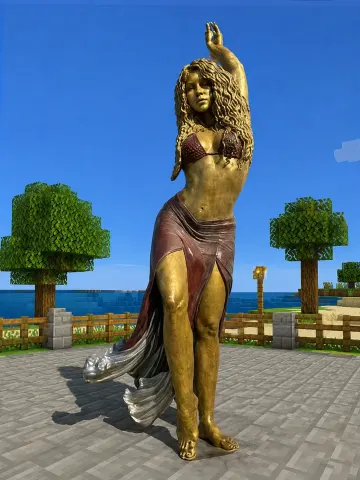
Keep the human subject 100 percent photorealistic and untouched. No pixel filter, no stylization, no lighting remap on skin. Preserve exact facial detail, pores, fabric weave, hair strands, natural shadows. Expression and posture remain identical. Rebuild the background as a structurally accurate Minecraft voxel replica of the original location. Do not reinterpret. Match the exact layout, spacing, depth, and geometry from the reference image. If there is a path, replicate its exact curve and width using gravel or dirt blocks. If there are trees, match trunk positions, height ratios, canopy spread using appropriate log and leaf blocks. If there are buildings, recreate their silhouette, window placement, roof angle using Minecraft block geometry. If there are rocks, benches, fences, signs, convert them into block equivalents but maintain their exact position and proportion relative to the subject. Perspective must match the original photo perfectly. Horizon line, camera height, focal distance, framing, subject scale all identical. Any object physically touching the subject must convert into Minecraft logic.
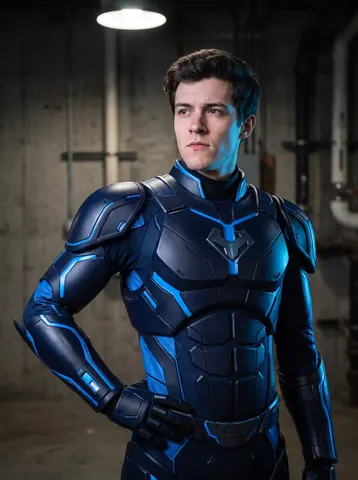
Transform this uploaded photo into a heroic armored-suit portrait. This is no longer a mirror selfie — remove the phone and the arm-raised selfie pose entirely, and reframe the subject in a natural standing hero pose, arms relaxed at the sides or one hand resting on the hip, as if captured by a professional photographer.

Replace the subject's clothing with a sleek, form-fitting armored hero suit in a bold original color palette (deep navy and electric blue, or matte black and crimson) with subtle paneling and glowing accent lines — an entirely original design, not a copy of any existing character, franchise, or trademarked suit.

Keep the subject's face, identity, and proportions fully recognizable and unchanged. Preserve the general lighting direction and mood of the original photo while adding a cinematic rim light to the suit. Do not smooth or plasticize the skin — retain natural skin texture, pores, and fine detail, and keep a touch of photographic grain so the result still reads as a photo rather than a 3D render. No real logos, trademarks, or brand marks of any kind should appear anywhere in the suit design, emblem, or background.

The final result should look like a professional hero-portrait photoshoot still, with the person instantly recognizable, wearing an original armored suit built just for them.
Use my uploaded photo as it is.

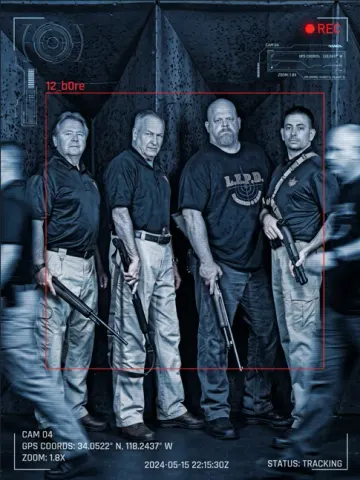
Turn it into a cinematic surveillance / spy- 51 camera scene. Keep my exact face, hairstyle, outfit, body proportions, pose, and background structure recognizable.

Add a realistic blue monochrome CCTV filter with dark shadows, scanlines, film grain, and slight motion blur.

Place a red “12_b0re” tracking box around me with futuristic scanner Ul graphics and surveillance overlays like:

• CAM 04

• REC icon

• Tracking coordinates

• Zoom indicator

• Timestamp

• “STATUS: TRACKING”

Add blurred moving people around me to create a realistic surveillance effect, but keep me sharp and in focus. Maintain realistic lighting, skin texture, shadows, and perspective. Make it look like an actual leaked spy-camera frame from a thriller movie.
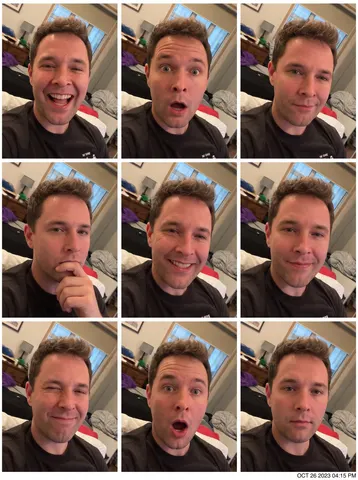
Turn this uploaded photo into a 3x3 photobooth-style expression grid featuring the same person across nine panels, each showing a distinct genuine expression (big laugh, surprised, smirking, contemplative, wide grin, soft closed-mouth smile, playful wink, shocked open-mouth, relaxed neutral). Keep every panel using the exact same outfit, hairstyle, lighting setup, and camera framing as a continuous strip, as if shot in one quick booth session.

Preserve this person's identity, facial structure, and skin texture exactly across every panel — do not smooth, reshape, or beautify the face differently between panels. Keep natural skin texture and grain consistent panel to panel; avoid plastic skin, warping, blending errors between grid cells, or asymmetrical panel sizing. Do not include any real logos, brand marks, or trademarked design elements anywhere in the frame or booth signage.

Arrange the panels in a clean even grid with thin white dividing lines like an analog photobooth strip, with a small printed timestamp in the corner styled like a photo booth receipt. The final result should look like an authentic photobooth strip capturing one person's genuine range of expressions in a single sitting.
Whiten the teeth in this uploaded photo. Remove yellow discoloration and stains from every visible tooth and replace it with a bright, healthy, natural white — the kind of subtle whitening a good dentist would produce, not a blinding, glow-in-the-dark white.

Keep everything else in the photo exactly as it is: preserve the person's identity, facial structure, smile shape, lip position, skin tone, and expression unchanged. Do not alter the composition, camera angle, framing, or lighting of the original photo in any way.

Do not smooth or retouch the skin, do not add a plastic or airbrushed look anywhere in the image, and do not distort the shape of the mouth or lips. Keep individual tooth texture, natural translucency at the tips, and subtle unevenness between teeth. Preserve the original photo's grain, noise, and unfiltered everyday color rendering.

The final result should look like a professional dental whitening result — naturally bright, healthy-looking teeth that still look completely real, not veneers.
Remove the glare and reflections from the eyeglasses in this uploaded photo while keeping the glasses, face, and everything else completely unchanged.

Eliminate white light reflections, screen glow, ring-light circles, and hazy sheen from both lenses, reconstructing the eyes behind them with complete fidelity to the person's real anatomy: accurate eye shape matching their facial structure, natural iris colour, and catchlights consistent with the scene's actual lighting. If part of an eye is fully hidden by glare, reconstruct it symmetrically from the visible eye and the person's bone structure — never invent a generic eye. The gaze should look natural and match the expression on the rest of the face.

Keep the frames exactly as they are: same shape, colour, thickness, and position, with their natural highlights intact. Lenses should retain a faint, realistic transparency sheen — perfectly matte lenses look fake. Preserve skin texture, hair, background, lighting, and the original photographic grain.

Negative constraints:
• No removal or reshaping of the glasses themselves
• No change to eye colour, size, or expression
• No smoothing or beautifying of the surrounding skin

The final result should look like the same photo taken at a luckier angle — clear lenses, natural visible eyes, and zero trace of retouching.
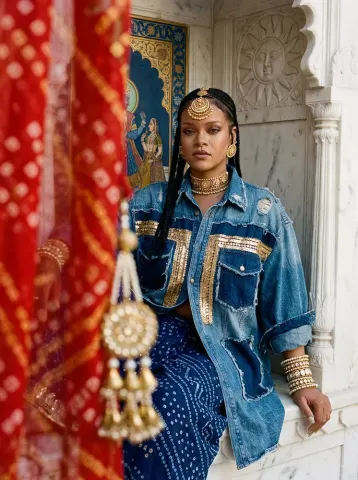
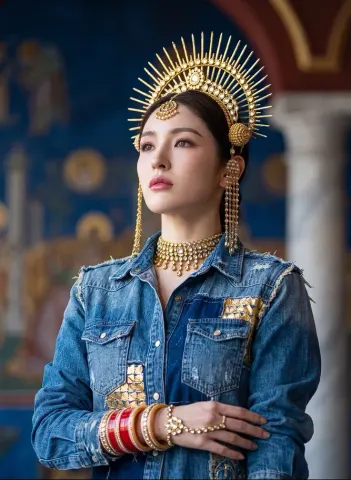
Bright luminous editorial photograph, golden ambient marble-bounce light, a young Rajput woman seated like a deity in a white marble Mewar jharokha. Shot through a hanging foreground veil of out-of-focus sindoori-red bandhej fabric and blurred gold kundan tassels that occlude the left third of the frame — the camera peering past them, an impossible focal stack where both the extreme foreground tassels AND her face hold tack-sharp while the mid-ground melts. She wears an oversized distressed denim-meets-gota patchwork shirt — raw-edge indigo denim panels stitched with gold gota-patti ribbon, frayed seams, worn open over a deep indigo bandhej wrap. Full Rajputi regalia: large spherical gold-kundan borla on her parting, aad choker tight at the throat, circular baala earrings, stacked pearl-kundan choora. Behind: a frescoed Mewar miniature panel in lapis and gold leaf, a carved marble surya emblem. 85mm look, eye-level, impossible dual-plane focus. Kodak Portra emulation pushed cool — bone-white marble, lapis, sindoor-red pop, gold-leaf specular only on jewellery. Matte rolloff, deep velvet niche shadow, grain in marble and stone, skin with visible pores, no airbrushing. Editorial non-smile, chin level, eyes direct to lens. Vertical 4:5.
Luminous three-quarter regal portrait shot on extreme telephoto compression, the background flattened and dissolved into an impossibly creamy lapis-and-gold bokeh wash — frescoed wall, marble column and oxblood arch all melted to soft luminous orbs no real lens could render this smooth, subject sliced out in hyper-sharp relief. Hip up, chin lifted, gaze to the upper distance, imperious. Hero: tall sculptural gold-leaf mukut rising in kundan sun-ray spokes, spherical borla beneath, long ear-length jhela danglers to the shoulder, aad choker arcing the throat with a cascade of kundan droplets. She wears the distressed denim-gota patchwork shirt, raw frayed shoulder seam catching light, over indigo. Stacked choora, kundan hathphool. 200mm compression look, eye-level to slightly low, razor subject against liquid bokeh. Cool Portra grade, gold-leaf specular blooming on the crown only, matte skin, real pore and peach-fuzz detail. Editorial stillness, no smile.
Keep the human subject 100% photorealistic and untouched. No pixel filter, no stylization, no lighting remap on skin. Preserve exact facial detail, pores, fabric weave, hair strands, and natural shadows. Expression and posture remain identical. Rebuild the background as a structurally accurate LEGO replica of the original location. Match exact layout, spacing, depth, and geometry from the reference. If there is a path, replicate its exact curve and width using LEGO tile and plate construction. If there are trees, match trunk positions, height ratios, and canopy spread using appropriate LEGO trunk builds and layered foliage elements. If there are buildings, recreate their silhouette, window placement, roof angle using authentic LEGO architecture geometry and brick proportions. If there are rocks, benches, fences, or signs, convert them into LEGO-built equivalents but maintain their exact position and proportion relative to the subject. Perspective must match the original photo perfectly — horizon line, camera height, focal distance, framing, and subject scale all identical. Any object physically touching the subject must convert into LEGO logic. Real animal becomes LEGO animal or molded figure equivalent. Held object becomes a brick-built version scaled correctly to the hand. Objects not touching the subject remain LEGO-built but positioned exactly where they appear in the reference. Lighting recreated as subtle daylight interacting with LEGO plastic materials while maintaining the direction and intensity of the original photo. Preserve subtle specular highlights on LEGO surfaces, natural shadow falloff, soft environmental reflections, and realistic material response. If fog exists, rebuild it using layered atmospheric haze while preserving the same depth falloff. Location must be immediately identifiable from composition alone, just rendered in detailed LEGO construction. High-resolution cinematic realism. Realistic LEGO material texture with visible seams, stud injection molding detail, slight surface scuffs, and authentic plastic reflections. No UI, no text, no overlays.
Fix the blur and lack of focus in this uploaded photo while keeping the subject, scene, composition, and all content completely unchanged. Identify the type of blur present — motion blur from camera shake, subject motion blur from the subject moving, or focus blur from the camera focusing on the wrong plane — and correct it appropriately.

Sharpen the entire image to restore crisp detail and clarity. Facial features should become clearly defined with sharp edges on the eyes, eyebrows, lips, and jawline. Text in the background should become readable if it was slightly soft. Fabric textures, hair strands, and fine details should become visible and defined.

Reduce any motion blur streaking so that edges are clean and stationary-looking. If the background was intentionally blurred with depth of field, preserve that creative blur while sharpening only the intended subject.

Do not over-sharpen to the point of creating unnatural halos, grainy artifacts, or noise amplification — the sharpening should look natural as if the photo was simply taken in perfect focus with a steady hand.

Skin texture should be enhanced to be realistic and detailed, not smoothed. The final result should look like the photo was captured in perfect focus with no camera shake: sharp, clear, detailed, and properly focused on the intended subject.

Important: only recover detail that is genuinely present in the image. Do not invent or hallucinate facial detail that was never captured — if an area is too blurred to recover honestly, leave it soft rather than fabricating features. Keeping the person recognisably themselves matters more than maximum sharpness.