Every trending prompt in the library, complete and copyable from this page. Open any prompt page for the real before/after and step-by-step.
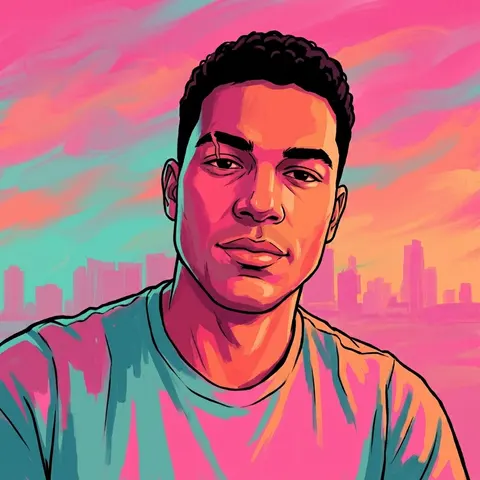
Transform this uploaded photo into a hand-painted, open-world video game loading-screen character portrait. Preserve the subject's exact facial identity, bone structure, and any distinguishing marks while reimagining the rendering style entirely — the person underneath should still be unmistakably them.

Apply bold flat cel-shading with heavy black linework outlining the face, hair, and jaw. Use a saturated tropical sunset palette: hot pink, deep teal, and burnt orange bleeding through the highlights and shadows. Light the face dramatically from one side, letting the opposite side fall into stylised shadow.

Render the subject at a confident three-quarter angle, chin slightly lifted, expression sharp and self-assured rather than neutral. Add a faint tropical skyline silhouette in the background, softly out of focus, suggesting a coastal city at dusk without depicting any specific real location.

Keep skin texture believable underneath the stylisation, and do not add any text, logos, watermarks, game titles, numerals, or franchise iconography of any kind. The final result should look like concept-art quality: painterly, graphic, and iconic — the kind of portrait that would greet a player before they load into a world.
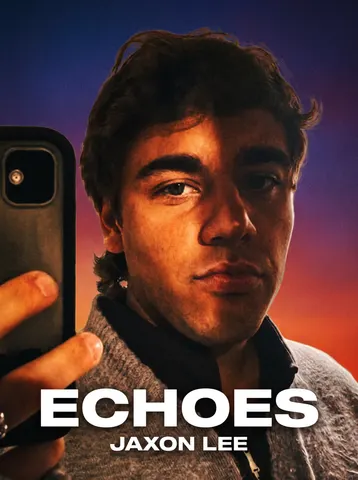
Turn this uploaded photo into an iconic album cover. Reframe the composition as bold cover art: add dramatic directional lighting across the face, a striking color-graded backdrop or gradient, and subtle film grain, while keeping the person's actual face, expression, and identity completely recognizable and unretouched. Do not smooth the skin or reshape any features — this is a lighting and color treatment, not a beautification edit.

Add a short, punchy title and artist name in clean, era-appropriate cover typography — one bold word or short phrase for the title, positioned like real album art, not a busy or cluttered wall of text. Keep the typography restrained: one title line and one artist line, nothing more.

Preserve the person's pose, clothing, and the essential shape of the original photo; treat the background as the canvas to redesign, not the face. Avoid plastic skin, waxy retouching, or warped facial features — keep visible skin texture and natural grain so the portrait still looks like a real photo, not a synthetic render.

The final result should look like a genuine streaming or vinyl album cover this person could believably drop tomorrow — bold, stylish, and instantly shareable.
Turn this uploaded photo into a retro-style video game box art cover, built as a multi-panel collage the way classic open-world game covers are designed. Keep the subject's face, identity, and body proportions from this exact photo unchanged across every panel; do not invent a different person or blend in another face.

Compose the cover as three or four overlapping character panels cut from this same photo, each cropped and angled differently, layered with hard-edged silhouette cutouts and a subtle drop shadow so they read as a poster montage rather than a single photograph. Along the bottom, add a thin strip of a stylized tropical city skyline at sunset, palm trees and neon-lit buildings in silhouette against a pink-orange gradient sky. Frame the whole composition with a bold rectangular border in a saturated color-block palette, leaving clean margins the way a physical game case would.

Give the finished cover a subtle print texture, slight halftone dot grain, and light shelf wear at the corners and edges, as if it were a physical disc case that has been handled, without adding any text, logos, ratings badges, or a title. Do not smooth or plasticize any skin visible in the panels, and keep the lighting and color of the source photo readable within each cutout rather than fully repainting the person.

The final result should look like the front cover art of a AAA open-world crime game box, a bold collage of the same person cut into layered panels over a neon tropical skyline, framed and worn like real retail packaging.
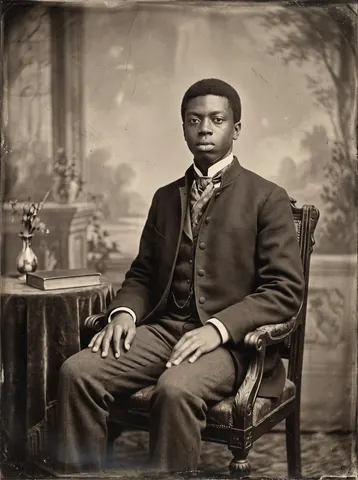
Transform this uploaded photo into a Victorian-era tintype studio portrait from the 1880s. Restage the subject in period-accurate formal attire appropriate to their apparent gender and build — a high-collared dark wool suit jacket with a cravat, or a high-necked lace-trimmed dress with a fitted bodice. This is no longer a casual phone photo or mirror selfie: remove the phone and mirror entirely, and replace the setting with a formal antique photography studio — a painted canvas backdrop, a velvet-draped side table, and soft directional window light typical of 1880s portrait studios.

Preserve the subject's exact facial identity, bone structure, expression, and proportions — this must still look like the same person, just photographed in another century. Do not smooth, soften, or plasticize the skin; keep authentic texture, pores, and natural asymmetry.

Render the entire image in a sepia-toned monochrome tintype finish: a soft vignette at the corners, fine authentic film grain (not blur), subtle scratches and edge wear consistent with a genuine 19th-century photographic plate, and a slightly stiff, formal studio pose with a neutral or solemn period-appropriate expression. Do not add any modern text, watermark, logo, or brand mark anywhere in the frame — this must read as a plausible antique photograph, not a modern graphic overlay.

The final result should look like a genuine daguerreotype-era studio portrait unearthed from a family archive — convincing enough to pass as a real ancestor's photograph.
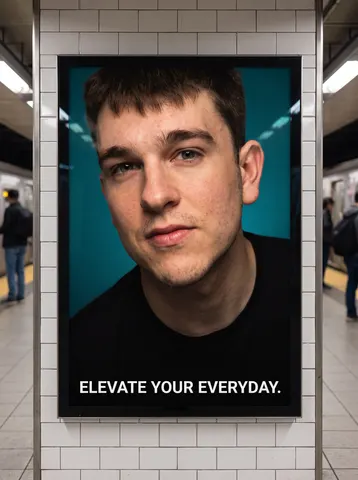
Transform this uploaded photo into a glossy, large-format advertising poster displayed inside a generic subway or transit station, styled like a high-end fashion or lifestyle ad campaign. This is not a mirror selfie or phone photo anymore: restage the subject with bold, editorial studio lighting — a strong key light, crisp highlights, and a clean, saturated color-graded background (a single bold color panel or soft gradient), not the original background.

Frame the composition like a real transit ad panel: the portrait fills most of the poster, with generous clean margin at the bottom for a short tagline. Add exactly one short, punchy, completely generic tagline (2-5 words, invented or purely descriptive wording only, no real brand, product, or company name) in clean modern sans-serif type. Do not include any fictional or real logo mark, brand name, transit authority name, or trademark anywhere in the image.

Preserve the subject's exact facial identity, proportions, and expression — this is a restyled portrait of the same person, not a different face. Do not smooth or plasticize the skin; retain natural texture while achieving a polished, professional ad-campaign retouch level. Frame the whole poster as if photographed mounted inside an illuminated ad frame on a subway platform wall, with white subway tile and soft ambient station lighting visible at the very edges of the frame, and a shallow out-of-focus platform environment barely visible beyond the poster's border.

The final result should look like a genuine glossy transit advertising poster for a high-end fictional brand, mounted on a subway platform wall.
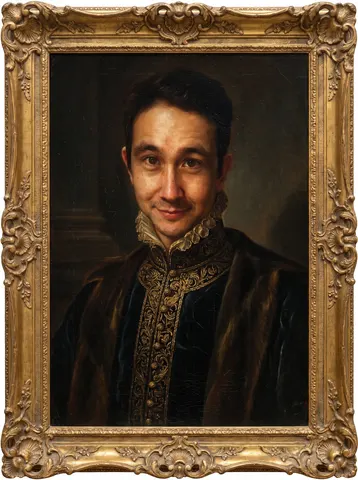
Transform this uploaded photo into a museum-quality Old Master oil painting portrait, in the style of a 16th-century Renaissance master. Repaint the subject with rich chiaroscuro lighting, deep shadow, and warm glazed highlights, dressed in ornate period clothing — a high collar, brocade fabric, or velvet cloak — that complements their existing coloring. Surround the portrait with a dark, moody background and enclose the whole image in an ornate carved gold frame with visible gilding detail.

Preserve the subject's exact facial structure, likeness, expression, and identity — this must still be recognizably them, only reimagined in paint. Keep the same head angle and gaze direction from the original photo.

Render everything with authentic oil-painting texture: visible brushstrokes, canvas grain, and fine surface cracquelure with age, not a smooth digital-airbrush filter. Avoid plastic skin, waxy smoothing, warped facial features, or a cartoonish look — this should feel like real centuries-old pigment on canvas.

The final result should look like a genuine museum portrait hanging in a gallery, painted by an Old Master, with the subject's true likeness unmistakably preserved beneath the paint.
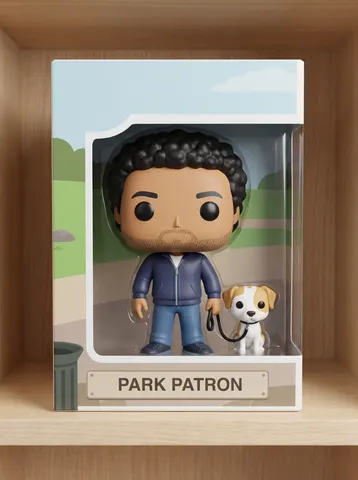
Turn this uploaded photo into an oversized-head vinyl collectible figure displayed in a die-cut window box, like a stylized pop-culture desk figure fresh off the shelf.

Rebuild the subject with the signature big-head vinyl-figure proportions: a large rounded rectangular head roughly half the figure's total height, simplified flat black dot eyes with no visible pupils or mouth detail, a small stocky body, and stubby limbs — molded in colors and outfit details that match the subject's real hair, hair color, and clothing so the figure still reads unmistakably as the same person. Keep any signature accessory or companion from the original photo (a bag, a drink, a pet) as a small matching accessory figure or prop standing beside the figure.

Package the figure standing inside a tall rectangular box with a large die-cut plastic window on the front, a printed nameplate/title card at the bottom naming the figure after a simple descriptive nickname, and clean flat-color background art on the box panel — no real brand names, logos, or trademarks anywhere on the box or figure. Light the shot like a clean studio product photo on a plain shelf background with a soft contact shadow.

Keep the vinyl surfaces smooth matte-to-semi-gloss without warping, keep the box graphics crisp and legible, and don't distort the proportions into something unrecognizable. The final result should look like a genuine photograph of a boxed big-head vinyl collectible figure on a store shelf, convincing enough to be mistaken for a real collectible toy.
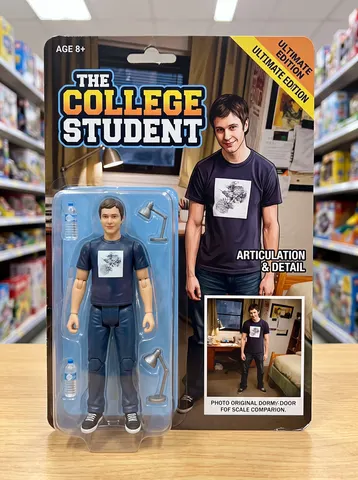
Transform this uploaded photo into a collectible action figure still sealed in its retail blister-pack packaging. Recreate the person as a miniaturized plastic action figure — glossy synthetic skin texture, articulated joint lines at the shoulders, elbows, and knees, and a designed hero pose — while keeping their exact facial features, hairstyle, and skin tone instantly recognizable as them.

Build the packaging around the figure like a real toy-aisle box: a printed cardboard backer in bold colors with the figure's likeness rendered as box art, a character name in a chunky logo treatment, and a clear thermoformed plastic blister bubble that hugs the figure's silhouette. Include two or three small plastic accessories mounted on their own tiny sprues beside the figure, chosen to match something visible in the original photo (their outfit, a prop, or a hobby detail).

Preserve the person's identity and proportions faithfully — don't turn this into an unrelated character or change their apparent age or ethnicity. Avoid melted or waxy plastic distortion, keep the printed text on the box crisp and legible with no garbled letters, and keep the overall look like an actual photographed toy package, not a flat digital collage — real box shadows, real bubble-plastic reflections, and slight print texture on the cardboard.

The final result should look like a genuine photo of a boxed action figure of this exact person, sitting on a shelf or table, that they'd want to screenshot and send to friends.
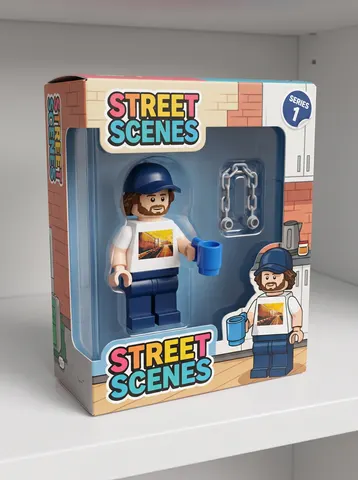
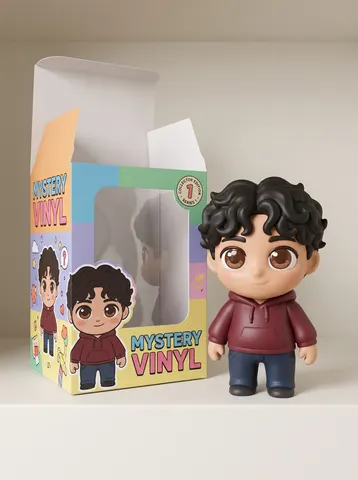
Turn this uploaded photo into a blocky building-brick minifigure sealed in its own retail packaging box, like a classic construction-toy playset fresh off the shelf.

Rebuild the subject as a chunky plastic brick-style minifigure: a cylindrical head, printed simplified facial features, a small connector stud on top of the head, C-shaped hooked hands, and a blocky one-piece torso and legs — molded in colors that match the subject's real hair color and outfit. Include one or two small accessory pieces pulled directly from the original photo (a phone, a bag, a drink, a pet, whatever appears in the reference) reimagined as blocky plastic minifig-scale props standing beside the figure.

Package the figure in a colorful cardboard box with a clear plastic window, a numbered "Series 1" sticker in the corner, and bold sans-serif packaging typography — invent a playful made-up toy-line name, and do not include any real toy-brand names, logos, or trademarks anywhere on the box or figure. Light the shot like a clean product photo on a plain shelf background with a soft contact shadow, no busy scene beyond the box.

Keep the plastic surfaces glossy but not warped, keep the printed face design crisp and legible, and don't distort the packaging into unreadable shapes. The final result should look like a genuine photograph of a boxed building-brick minifigure sitting on a store shelf, convincing enough to be mistaken for a real collectible toy — with no real brand names or logos visible.
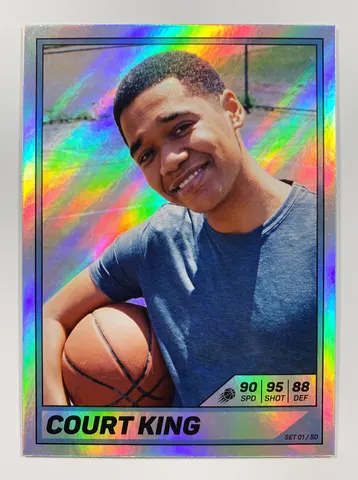
Turn this uploaded photo into a holographic foil trading card, like a shiny rare pull from a collector card pack.

Keep the subject's face, expression, identity, hairstyle, and outfit exactly as shown in the original photo, reframed as a chest-up portrait inside a card border. Add a rainbow holographic foil texture across the card surface — prismatic diagonal light streaks and a shimmering rainbow sheen typical of a rare foil card — without altering the photo underneath into a painting or illustration; the portrait itself should stay photographic.

Design the card border with a metallic frame, a short one-line name banner at the bottom in bold sans-serif type showing only a simple made-up nickname (no more than two or three words), a small stat bar of three or four short numeric icons in the corner (like a rating or power number), and a tiny set number/card number printed in the bottom corner — keep all text minimal and legible, no paragraphs or extra copy anywhere on the card.

Light the shot like a clean product photo of the card held at a slight angle or lying flat, with soft studio lighting catching the holographic shimmer, plain background, no glare that obscures the face. Do not smooth the skin into plastic, keep the photographic texture and grain of the original photo, and don't warp the face or proportions. The final result should look like a genuine photograph of a rare holographic trading card, convincing enough to be mistaken for a real collector card.
Transform this uploaded photo into a single cinematic trailer still, as if it were the hero marketing beauty shot cut into a AAA open-world game's launch trailer, not a gameplay screenshot. Keep the subject's identity, pose, and the framing of this exact photo unchanged; do not swap faces, body proportions, or restage the scene.

Apply anamorphic lens flare where a bright light source would naturally streak across the frame, add subtle chromatic aberration at the edges, and give the shot shallow depth of field so the background falls into a soft cinematic blur while the subject stays tack-sharp. Grade the color like a big-budget marketing key art: warm-cool split toning, lifted blacks, glossy saturated highlights, and a faint teal-magenta neon undertone consistent with a Miami-inspired open-world game.

Add thin black letterbox bars top and bottom to lock the frame to a cinematic widescreen ratio, and lay in a light film grain across the whole image so it reads as a shot pulled straight from a trailer, not a filtered selfie. Do not smooth or plasticize the skin, do not add text, logos, or a title card, and do not alter the composition or the subject's expression, this is a color and lens treatment on top of the real photo, not a new photo.

The final result should look like a single freeze-frame from a next-gen game's official marketing trailer, the same photo, lit and graded like a hero beauty shot with flare, grain, and letterbox bars.
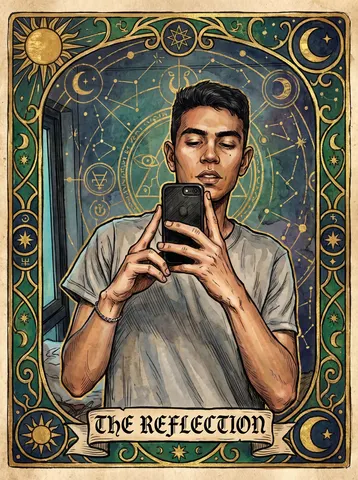
Transform this uploaded photo into an ornate tarot card illustration. Recompose the subject as the central figure of a major arcana-style card, rendered in rich hand-painted linework with gilded ornamental borders, mystical symbols, and a soft muted color palette of deep golds, emeralds, and ink blues.

Preserve the subject's identity, facial features, pose, and body proportions exactly as shown — only restyle the artwork, lighting, and setting around them into the tarot aesthetic. Do not distort or exaggerate proportions, and keep the framing recognizable as the same person.

Add a single elegant title line in a classic serif/blackletter style along the bottom of the card border (do not add dense credits or extra text blocks). Keep painterly texture and fine linework crisp — no plastic smoothing, no blurred details, retain a hand-illustrated grain.

The final result should look like a beautifully illustrated antique tarot card, as if pulled straight from a mystical deck, with the person unmistakably recognizable inside the artwork.
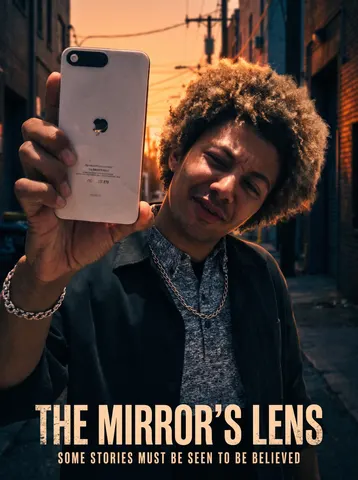
Transform this uploaded photo into a dramatic movie poster. Keep the person's face, identity, and body proportions completely unchanged — same bone structure, same features, same expression — while restaging the lighting, framing, and background into a cinematic one-sheet.

Light the subject with bold, directional movie-poster lighting (rim light, moody shadows, a dramatic color-graded backdrop that fits the mood of the original photo) and add a wide cinematic aspect feel with a title treatment: a large stylized movie title at the top or bottom, and a tagline in small caps beneath it. Keep the title and tagline text large, legible, and properly kerned — no garbled or warped letters. Do not add any additional lines of text, credits, names, or placeholder words anywhere else in the image — title and tagline only.

Preserve the photo's real skin texture and grain — no smoothing, no plastic or airbrushed skin, no waxy over-retouching. The background and clothing can be restyled for drama, but the person underneath should be unmistakably, recognizably them.

The final result should look like a real theatrical movie poster starring you — bold lighting and a title treatment, built from your own photo.
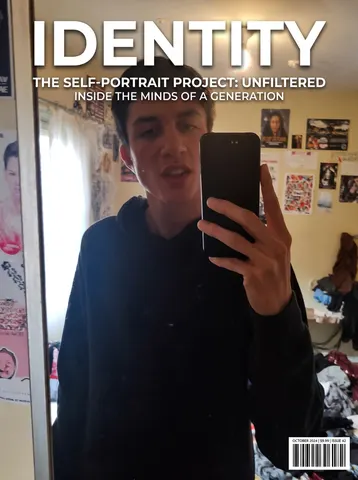
Turn this uploaded photo into a glossy magazine cover. Add a masthead-style title across the top in bold editorial type, a small cover line or two teasing a 'story' near the image, and a barcode/issue-date detail tucked in a corner — the way a real newsstand cover is laid out. Use clean, high-contrast cover typography, not a dense wall of text.

Keep the person's face, identity, expression, and pose exactly as they are in the original photo — do not reshape features, change their body, or alter what they're wearing. Keep the background and lighting from the original photo as the base; you may deepen contrast and richness slightly the way a magazine's color grade would, but do not replace the setting or change who's in it.

Do not smooth or plasticize the skin, do not add an airbrushed look, and keep visible skin texture and natural grain — this should still look like a real photograph, just laid out as a magazine cover. Avoid garbled or nonsense text; keep any wording large, short, and legible.

The final result should look like this exact photo, published as the cover of a real glossy magazine — bold masthead, a couple of clean cover lines, and true photographic detail underneath.
Turn this uploaded photo into a soft-vinyl blind-box collectible figure standing proudly beside its own opened packaging box, like a designer toy fresh out of the case.

Reimagine the subject as a chibi-proportioned vinyl toy: oversized rounded head, simplified glossy-matte skin, small stubby limbs, and a sculpted third-eyelid gloss finish exactly like real blind-box collectibles — while keeping the hairstyle, hair color, outfit colors, and any signature accessories instantly recognizable as the same person. Build a colorful cardboard box beside the figure with a die-cut plastic window, playful character-art printed on the panels, and a small logo-less collector sticker on the corner, styled like an authentic shelf-ready collectible.

Keep the framing a simple tabletop or shelf product shot with soft studio lighting, a plain seamless backdrop, and a subtle contact shadow under the figure — no busy background, no extra props beyond the box. Do not smooth into plastic-doll skin on the face beyond the intended vinyl-toy stylization, don't warp proportions unrecognizably, and keep sculpted textures crisp rather than blurry or AI-mushy.

The final result should look like a genuine photograph of a designer vinyl blind-box toy sitting next to its opened packaging, convincing enough to be mistaken for a real collectible on a store shelf.
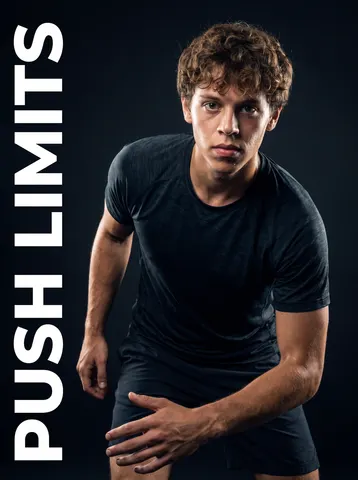
Transform this uploaded photo into a dramatic sportswear-style poster portrait. Keep the person's identity, facial features, and body proportions exactly as they appear in the original photo — do not alter their face, skin tone, or build.

Frame the subject in a dynamic athletic pose against a bold, high-contrast studio background with dramatic rim lighting and deep shadows, like a professional sports apparel campaign. Add bold, condensed sans-serif typography along one edge of the composition (a short motivational word or phrase, no real brand names, team names, or logos). Do not include any real logos, trademarks, jersey numbers tied to real teams, or readable brand marks anywhere in the image. This is not a mirror selfie anymore — remove any phone or camera device from the subject's hands entirely.

Preserve the natural texture of skin and hair — no smoothing, no plastic or waxy skin, no over-sharpened edges. Keep a subtle photographic grain and realistic light falloff so the image reads as a professionally lit photograph, not an illustration or 3D render.

The final result should look like a high-end sportswear ad poster starring this exact person, dramatically lit, boldly typeset, and completely free of any real-world brand or logo.
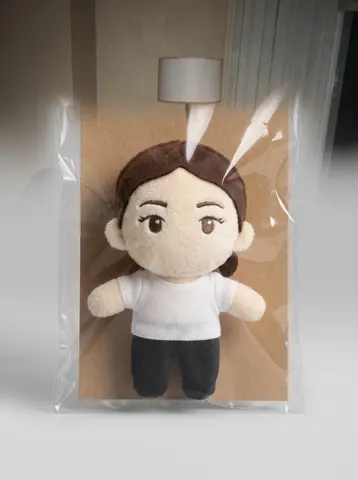
Turn this uploaded photo into a collectible blind-bag plush toy of the person, packaged like a soft mascot figure. Keep the subject's face, hairstyle, and defining features recognizable in a cute, chibi-proportioned plush form — do not use their real skin texture; render them as a soft fabric plush character instead. This is not a mirror selfie or phone photo anymore — remove any phone or camera device entirely; the plush should be sitting inside its packaging, hands empty.

Show the plush character with visible stitched seams, a rounded huggable body, felt or embroidered facial details, and a slightly fuzzy fabric texture. Package it in a clear plastic window box or soft blind-bag pouch with a plain cardboard backing card — leave any backing card completely free of text, logos, or brand names. Do not include any real logos, trademarks, or copyrighted character designs anywhere in the image.

Preserve the overall color palette and one signature clothing detail from the original photo (like the shirt color or hair color) so the plush still reads as based on this exact person. Avoid plastic-looking shine — keep the surface matte and fabric-like, with soft studio lighting and a clean neutral background behind the packaging.

The final result should look like a real, photographed blind-bag plush toy of this exact person, soft and huggable, sitting in its packaging on a plain surface, with zero real-world branding.