
drag to compare — this is a real result from this exact prompt
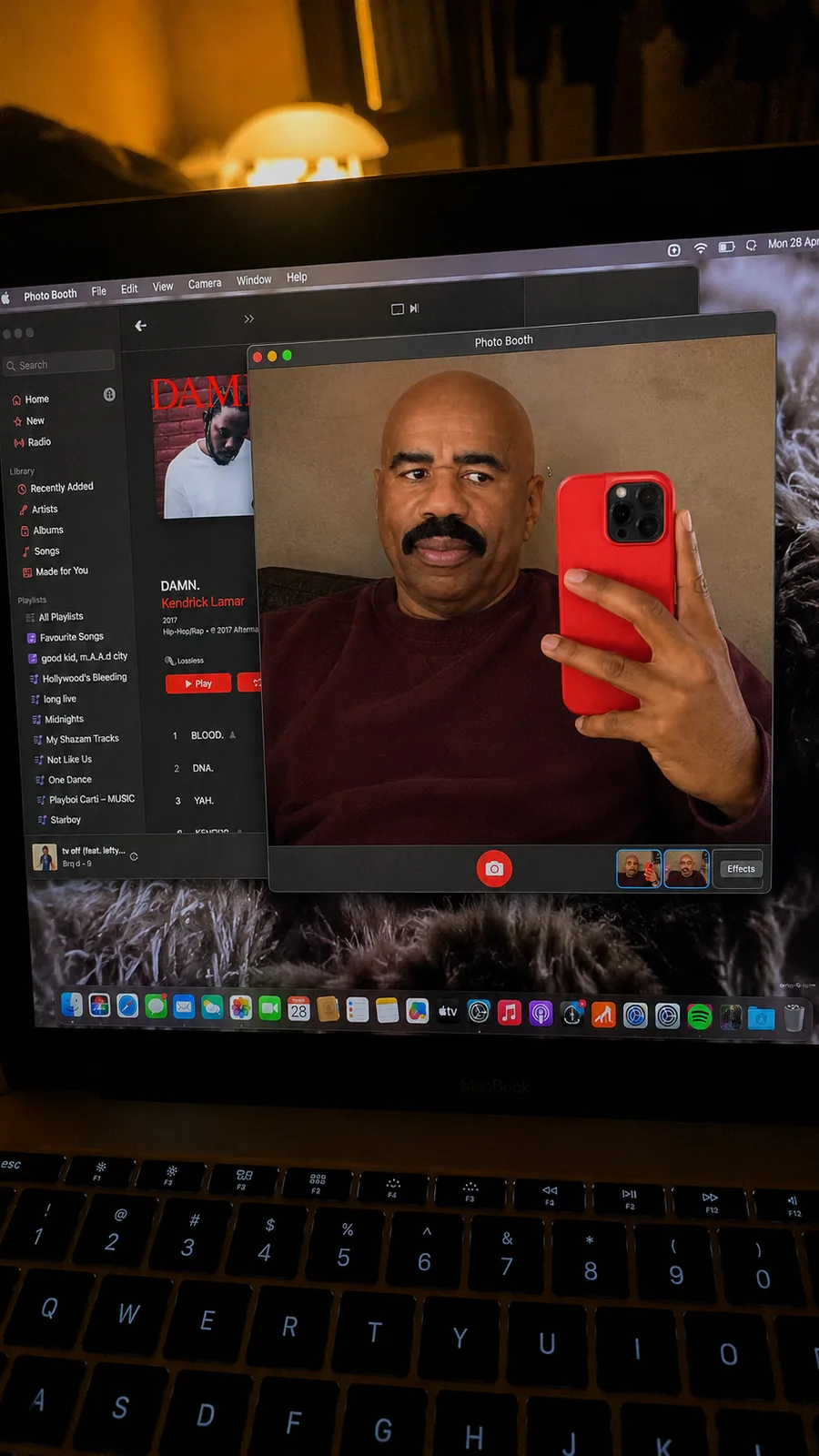
Cozy Bedroom MacBook POV
2 steals· updated sep 2026
Full prompt
Ultra-realistic iPhone photo of a MacBook screen, identity preserved exactly from reference image. A realistic handheld phone photo taken of an open MacBook screen in a dim bedroom or desk setup. The laptop keyboard is visible at the bottom foreground, slightly out of focus. The MacBook screen fills most of the frame at a slight angle, with visible glare, reflections, screen moiré, and real low-light noise. On the laptop screen, Photo Booth is open in the center. The Photo Booth window shows a man taking a mirror-style selfie inside the webcam/photo window. He is angled sideways, face in three-quarter profile, looking off to the left. His other hand holds a bright red phone close to the right side of the Photo Booth frame, partially covering his body. He has hair styled as the reference image. Expression is bored, pretty, slightly dramatic. MacBook screen details: Photo Booth window centered with dark grey interface red camera shutter button at the bottom center of the Photo Booth window small thumbnail strip visible in the bottom-right of the Photo Booth window Apple Music app open behind it on the left side album artwork and playlist/sidebar visible behind the Photo Booth window desktop dock icons visible along the bottom warm lamp glow near top edge of the screen messy textured/fur-pattern wallpaper behind windows Important: this is NOT just a selfie. It must look like a real iPhone photo taken of a MacBook screen showing Photo Booth. Lighting: dark cozy bedroom lighting, warm lamp reflection, screen glow illuminating the laptop, slight camera shake, realistic phone-photo blur. Natural skin texture inside the screen, realistic laptop pixels, screen reflections, no beauty filter, no smoothing. 4K vertical 9:16. outfit : dark red sweatshirt.
How to use — free
01
Steal the prompt
Hit the button — the full prompt is on your clipboard.
02
Open Gemini or ChatGPT
Start a new chat and attach a clear photo of yourself (face visible, good light).
03
Paste & generate
Paste the prompt, send, and download your result. Tweak words to taste.
Questions
Is the Cozy Bedroom MacBook POV prompt free?
Yes — completely free. No login, no credits, no paywall. Click the copy button and the full prompt is yours.
Which AI tools work with the Cozy Bedroom MacBook POV prompt?
It's tested with Gemini and ChatGPT. Attach a clear photo of yourself, paste the prompt, and generate.
Can I edit the prompt?
Absolutely — that's the point. Swap any clause (lighting, mood, film stock, setting) to make the result yours.