Every lifestyle prompt in the library, complete and copyable from this page. Open any prompt page for the real before/after and step-by-step.
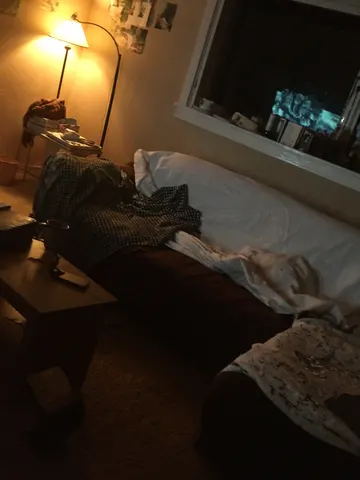
Brighten this uploaded photo like a professional night-mode fix, not a flat exposure slider. Lift the shadows and midtones so hidden detail in dark corners becomes visible, recover clipped highlights around any lamps or windows, and rebalance the color temperature so the scene reads clean and natural instead of murky orange or blue-grey.

Keep the composition, framing, and camera angle exactly as shot — this is a correction, not a re-shoot. Preserve the true position and color of every light source; do not invent new lights, windows, or reflections that were not in the original photo. Keep every object, wall, and surface in its exact place.

Avoid over-smoothing or noise reduction that erases texture — retain the photo's natural grain and fine detail, and don't let bright areas turn flat, plastic, or artificially clean. No added blur, no glow effects, no HDR haloing around edges.

The final result should look like the same photo taken with a much better sensor in much better light — crisp, evenly exposed, and true to the original scene.
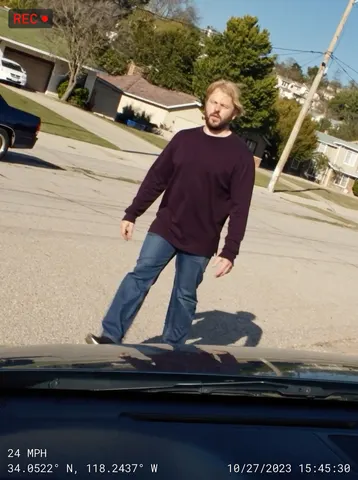
Turn this uploaded photo into an authentic dashcam capture, as if pulled directly from a car's dashboard camera recording this exact moment. Reframe the scene through a slightly wide dashcam lens angle from behind a windshield, with a dark sliver of dashboard and the top edge of a hood visible at the very bottom of the frame.

Preserve this person's identity, outfit, pose, and the scene's composition and lighting exactly as in the original photo — only change the framing and add dashcam graphic overlay elements. Do not add soft grain, film noise, light leaks, vignette, or any blur; keep the image crisp, sharp, and clean like real digital dashcam footage, not degraded or cinematic.

Burn in a dashcam HUD overlay in a small monospace digital font: a speed readout in the bottom-left corner, GPS coordinates in the bottom-left corner beneath the speed, and a date/timestamp in the bottom-right corner. Add a small red circular "REC" indicator with a dot in the top-left corner. Do not include any real brand names, logos, or manufacturer markings anywhere on the dashboard, hood, or overlay. The final result should look like an authentic frame pulled straight from a real dashcam recording.
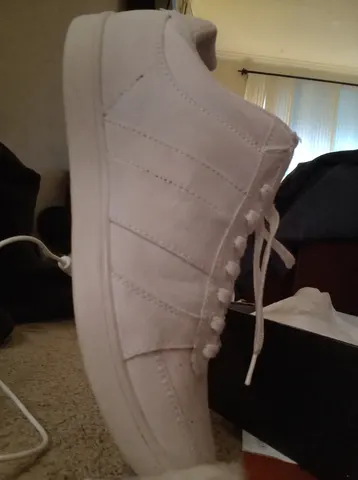
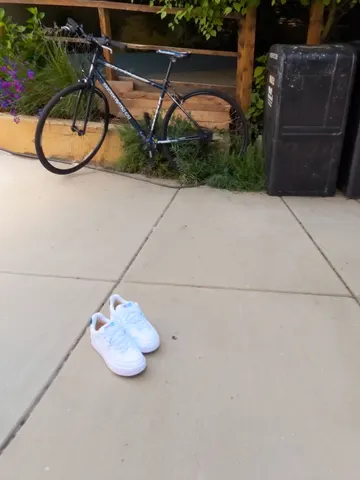
Remove the price tag sticker and barcode label from this uploaded photo completely. Reconstruct the section of the shoe underneath so the material, stitching, panel lines, and texture continue naturally and seamlessly, exactly as if the sticker had never been there. Keep everything else in the photo completely unchanged — the shoe's shape, color, laces, the shoebox, the room, the lighting, and the camera angle must all stay identical to the original.

Match the surrounding fabric or leather grain, subtle creases, and lighting falloff precisely where the sticker used to sit, so there is no smudge, blur, discoloration, or flat patch left behind. Do not smooth, plasticize, or over-sharpen the shoe's surface — preserve the same real material texture and mild photo grain as the rest of the image.

The final result should look like a genuine everyday photo of a brand-new shoe straight out of the box, with the tag off, as if it was never stuck on in the first place.
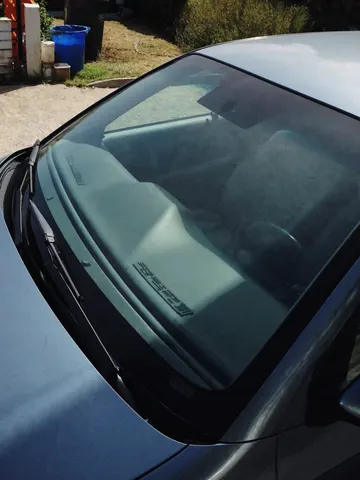
Remove the glare and reflections from the windshield in this uploaded photo. Clear away the bright reflective glare, sky reflections, and washed-out haze covering the glass so the car's interior, seats, and dashboard become visible through the windshield exactly as if the photo were taken with a polarizing filter.

Keep everything else in the photo completely untouched: the car's body, paint, badges, wheels, the background, the framing, and the lighting on the rest of the vehicle must stay exactly as they are. Do not change the angle, do not add reflections that weren't there minus the glare, and do not alter the color or shape of the car itself.

Avoid over-smoothing the glass or making it look fake or CGI-perfect — keep a faint, natural glass texture and realistic light falloff at the edges of the windshield. No plastic sheen, no over-sharpened edges, keep the subtle grain of the original photo.

The final result should look like the same exact photo of the car, just taken with a polarizing filter so the interior is clearly visible through a clean windshield.
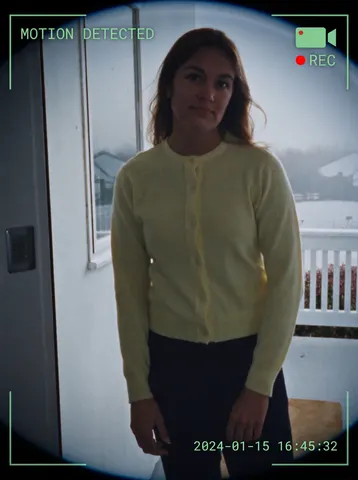
Transform this uploaded photo into a smart doorbell camera capture. Apply a subtle fisheye lens distortion to the edges of the frame, as if seen through a wide-angle doorbell camera lens. Overlay a semi-transparent HUD in the corners: a small plain camera icon with a red dot and the text REC beside it, a plain text banner near the top reading MOTION DETECTED, and a digital timestamp burned into a bottom corner showing a plausible date and time, all rendered in a crisp white or green monospace font like real doorbell camera firmware.

Preserve the subject's face, identity, pose, and the original scene composition and lighting exactly as captured — only add the lens distortion and HUD overlay elements, do not restyle the photo itself. Keep colors true to a slightly cool, slightly low-dynamic-range security camera look without over-processing.

Do not add any real brand names, logos, or app names to the HUD — use only generic icon shapes and plain text labels like MOTION DETECTED and a plain timestamp, with no trademarked doorbell brand wording anywhere on the overlay or in the scene. Avoid adding soft grain, film noise, or light leaks — the unpolished look must come only from the graphic overlay elements themselves, keep the underlying image sharp and clean.

The final result should look like a genuine motion-triggered clip captured by a smart doorbell camera, complete with fisheye framing and an authentic on-screen HUD.
Remove the harsh, high-contrast shadow cutting across this uploaded photo. Rebuild the shadowed area with lighting that matches the rest of the scene — same color temperature, same direction of light, same time-of-day mood — so the object or scene looks like it was shot in soft, even light instead of direct midday sun.

Keep the framing, angle, and every object in the scene exactly as photographed. Do not move, resize, add, or remove anything — only correct the lighting. Preserve real textures and surface detail under where the shadow was; do not smooth, blur, or plastic-coat any surface, and keep the photo's natural noise and grain intact.

Avoid any warping of edges, duplicated objects, or glowing/HDR haloing around where the shadow used to fall. The corrected area should blend seamlessly with the rest of the image, not look like a separate layer pasted on top.

The final result should look like the photo was simply taken in soft, diffused light from the start — no shadow, no edit history, just a clean, evenly lit shot.
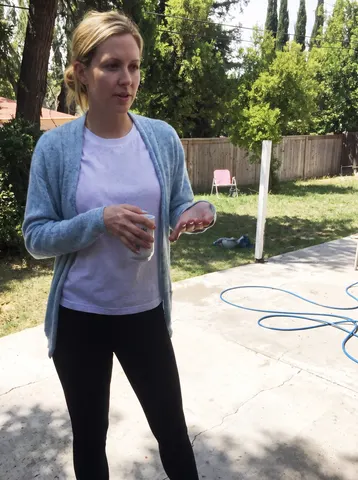
Take this uploaded photo and extend it outward so nothing is awkwardly cut off at the edges of the frame. If a head, limb, or the top of someone's hair is chopped off by the frame boundary, naturally continue the scene beyond that edge — rebuild the missing part of the body and background so the full subject fits comfortably inside the picture.

Match the existing lighting, color grade, grain, and camera perspective exactly so the extended area is indistinguishable from the original capture — no seams, no blending lines, no sudden shift in sharpness or white balance where the new region begins. Keep every visible person's face, body proportions, and clothing completely unchanged; only add space around them, never re-pose or alter what's already there.

Do not smooth skin, do not add plastic-looking texture, and keep the same amount of natural photo grain and imperfection across old and new areas alike. This is a framing repair, not a re-edit — the goal is a photo that looks like it was simply taken a step further back.

The final result should look like the photographer never cropped anyone out of the shot in the first place.
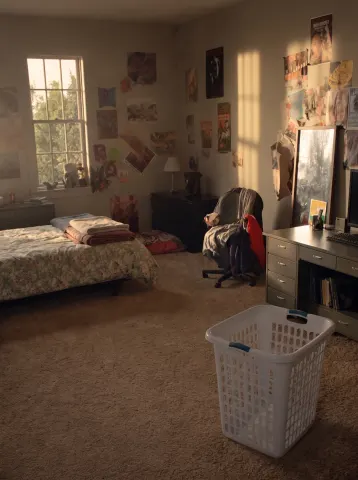
Clean and organize this room completely while keeping the exact same room, camera angle, furniture, architecture, windows, and lighting. Make the bed neatly with smooth bedding. Put every piece of clothing away — nothing left on the floor, chairs, or bed. Clear all surfaces so the desk and shelves look tidy and intentional, with remaining items neatly arranged. Remove all trash, wrappers, papers, tangled cables, and clutter from the floor. Empty the laundry basket and place it neatly. Straighten any crooked posters, frames, or mirrors.

Do not add new furniture or decor, and do not remove existing furniture — every piece stays exactly where it is. The floor, walls, and surfaces should look clean but real: keep natural wear, texture, and the original photographic grain and color grade.

The final result should read as the identical room photographed at the same moment, after a deeply satisfying clean — believable, lived-in, and spotless, not a staged showroom.
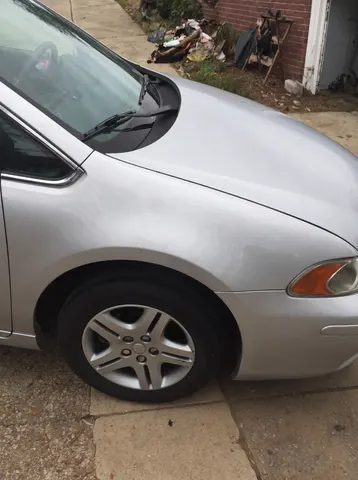
Repair the dent and scratched paint on the vehicle's door panel shown in this uploaded photo. Restore the metal to a smooth, factory-finish surface with no dent, no crease, and no scratch marks — the panel should look brand new.

Keep everything else in the photo exactly as it is: preserve the car's exact model, color, paint shade, badges, wheels, and any other body details untouched. Do not change the background, the driveway, the garage, the lighting, the reflections, or the camera angle in any way.

Do not warp or bend the car's body lines while removing the dent. Keep realistic paint reflections and highlights that stay consistent with the rest of the panel and the surrounding light. Avoid a plastic, CGI, or overly clean rendered look — retain the original photo's grain, noise, and natural lighting variance.

The final result should look like the car just rolled out of a professional body shop — flawless, factory-smooth paint with zero sign the damage ever existed.
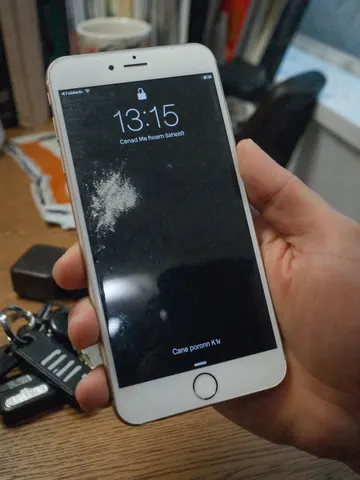
Repair the phone screen in this uploaded photo. Remove every crack, spiderweb fracture, and chip from the display glass completely, rebuilding the screen surface as smooth, flat, and undamaged — as if the phone just came out of the box.

Keep the phone's exact model, color, camera layout, and body in this uploaded photo completely unchanged. Preserve the exact camera angle, framing, composition, and background of the original shot, and keep the lighting, shadows, and any on-screen content or reflections consistent with how they naturally would look on an intact glass surface.

Do not add artificial gloss, an unnatural mirror-sheen, or a plastic-looking finish to the glass. Keep the natural surface texture, subtle fingerprint smudges, and true-to-life reflections a real phone screen would have — this is a repair, not a re-render. Do not alter the room, hands, or any other objects in the frame.

The final result should look like the phone photo was taken with a brand-new, flawless screen, with everything else in the shot untouched.
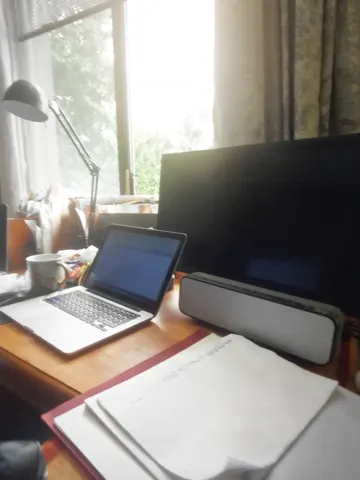
Clean up the tangled cables and cords in this uploaded photo. Remove the messy tangle of wires draped, looped, and pooled across the desk and floor, so only the essential cords remain neatly routed or tucked out of sight behind the devices — no more rat's nest of cables in view.

Keep the exact identity of the room, the furniture, the devices, and the composition of the original photo untouched. Do not move the laptop, monitor, speaker, or any other object, and do not change the lighting or camera angle — this is a cable cleanup, not a redecoration.

Avoid making the desk look sterile, staged, or AI-plastic. Keep it looking like a real, lived-in desk — the mug, notebook, and small everyday clutter should stay exactly as they were. The one or two remaining necessary cords should look real, with slight natural bends, not perfectly straight CGI lines.

The final result should look like the same desk right after someone spent five minutes actually organizing the cords — tidy, believable, and still yours.
Clear the thick steam fogging up the mirror in this uploaded photo. Wipe away the condensation clouding the glass so the reflection underneath becomes sharp and fully visible again, the way the mirror would look moments before the shower or hot water ran.

Keep the person's pose, outfit, facial expression, and position in the frame exactly as they are — only the fogged glass changes, not the subject standing in front of it. Preserve the real bathroom or gym setting behind them: the same tile, lighting, fixtures, and any towels or products already in shot, just visible again instead of hidden behind haze.

Do not smooth or soften the person's skin, hair, or the texture of the room to compensate for the missing fog — keep true photographic grain, natural asymmetries, and the original lighting color exactly as it was on the parts of the mirror that were already clear. Avoid leaving behind streaky wipe marks, warped reflections, or a second faint ghost of the fog.

The final result should look like the exact same mirror selfie taken a minute later, once the steam had fully cleared.
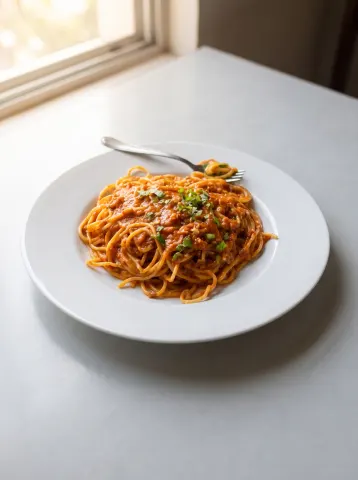
Enhance this food photo to professional menu quality while keeping the actual dish, plating, portion, and setting completely unchanged — this must remain an honest photo of this exact food.

Correct the colour to appetising accuracy: plates read clean and neutral, sauces turn rich and vibrant, herbs look fresh, and the dull yellow cast of indoor lighting disappears. Recover the texture detail that makes food read as delicious — the folds and strands, the glisten of sauce, sear marks, crumb structure, the crisp edges of garnish. Relight it as if soft daylight were falling from a nearby window, replacing flat overhead light with gentle dimensional shadows.

Add depth by softening the background and table surface slightly so the dish is the unmistakable subject, mimicking a fast lens rather than an artificial blur. Clean the frame the way a food stylist would between takes: stray napkins, phones, cables, and clutter around the plate disappear, leaving an uncluttered tabletop.

Do not change the food itself — same portion, same ingredients, same arrangement. No oversaturated colours, no artificial steam, no fake gloss, no props or garnish that were not there.

The final result should look like the same plate photographed by a professional food photographer in perfect natural window light.