Complete prompt text, copyable straight from this page. Open any prompt for the real result and the step-by-step.
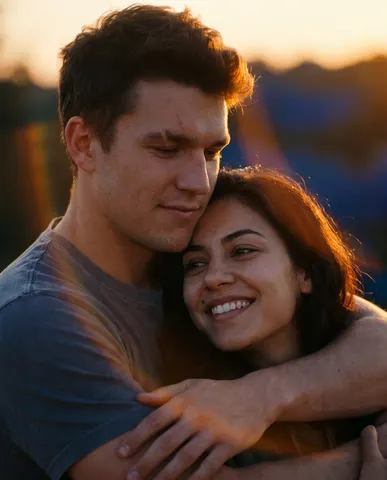
Transform this uploaded couple's photo into a cinematic movie-poster-style still. Preserve both subjects' exact facial identities. Frame them close together — one embracing the other, or foreheads nearly touching — with warm golden-hour backlight rimming their hair, soft film grain, and a shallow depth of field that melts the background out of focus. Add a subtle anamorphic lens flare and a rich warm-to-cool color grade.

The mood should feel like a still pulled from a romantic drama: intimate, cinematic, quietly nostalgic. No text, no logos, no movie titles, no credits anywhere in frame.

The final result should look like a professionally graded film still, the kind that would sit on a poster without a single word on it.
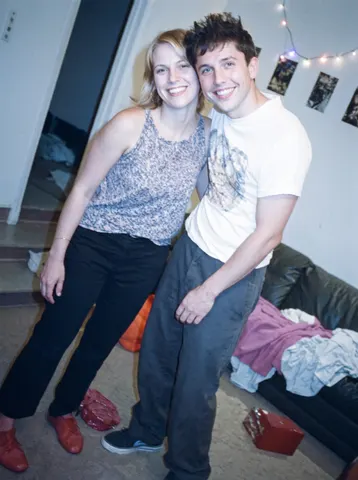
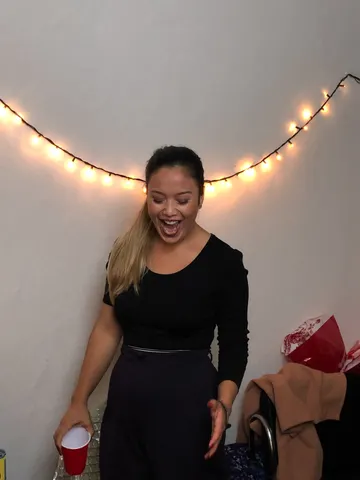
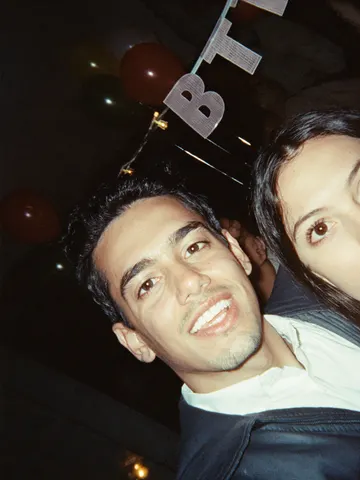
Clean up this uploaded photo by removing the loose party decorations cluttering the background — balloons, paper streamers, hanging banners, plastic cups, and gift wrap — so the space behind the subject looks tidy. Reconstruct the wall, floor, furniture, and shadows naturally wherever clutter is removed, matching the existing textures and light so no gaps or smudges are visible.

Keep the subject's face, body, pose, expression, and outfit exactly as they appear — do not alter identity, retouch skin, or change clothing. Preserve the original camera angle, framing, and lighting conditions; only the background decorations should be affected.

Do not smooth skin, do not add a plastic or airbrushed look, and keep the photo's natural grain, mild noise, and imperfections intact. This is a cleanup, not a re-edit of the person or the room's layout.

The final result should look like the same photo, taken in the same room, just without the party mess in the background — believable and unretouched, not a staged or empty room.
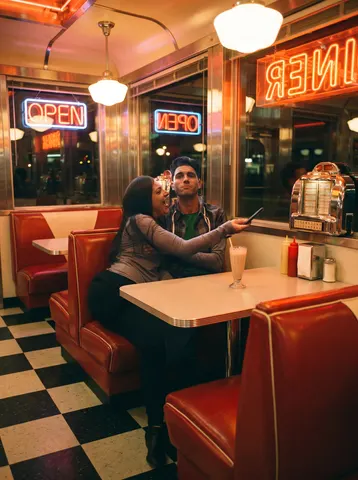
Transform this uploaded photo of the two of you into a retro American diner date scene straight out of the 90s. Reset the background to a checkerboard-floor diner booth with red vinyl seats, a chrome jukebox glow, and warm neon signage bleeding softly into the frame, like a snapshot someone's mom would have taken with a disposable camera.

Keep both faces, expressions, body proportions, and the closeness between the two people exactly as they are in the original photo — do not re-pose anyone, swap outfits into something wildly different, or change who is who. Warm the color temperature toward amber and red, add soft halation around the neon and window light, and lay in a light, even film grain across the whole frame.

Avoid digital smoothing or plastic-looking skin — this should look like real film picked up genuine skin texture and imperfect diner lighting, not a filtered selfie. Keep the framing and camera angle close to the original so it still reads as a real photo of an actual date, not a rendered scene.

The final result should look like a candid Polaroid snapped mid-date at a real diner booth in 1998.
High-angle shot of a woman from the chest up, walking outdoors. The camera is looking down on her, capturing her upper body, one arm taking selfie, other hand showing peace sign below, and legs of a 27yo indian dark skinned woman walking down a city street, wearing a revealing Brahmin-style saree with a sleeveless blouse. The saree is crafted from transparent cotton, accentuating her hourglass figure and exposing her navel and hips. She is adorned with a bindi, intricate jewelry, including a prominent mangalsutra in her neck, and detailed accessories. her detailed skin textures especially in neck, arms, chest area, boobs, make the skin as detailed and realistic with realistic lighting reflections as possible. The saree features a ultra-deep cleavage, with the fabric draped low to reveal her ample cleavage and the top of her Huge boobs. The saree is crafted from a rich combination of velvet, damask, silk, brocade, fine lace, sheer fabric, and raw texture. It is adorned with intricate embroidery, gold thread stitching, and lace-up front accents. The design incorporates ruffled trim and a deep, plunging neckline, creating a seductive and provocative aesthetic reminiscent of a indian local prostitute. Her hair is styled traditionally, and the background is visible, Skin textures are detailed and realistic, with a straight face looking at the camera with no makeup, few post acne marks, pimple marks in her skin chest area, wearing a fully transparent dress, she has natural busty boobs exposed, (boobs:1.2), (big ass:1.5), Slim thick, slim waist, (huge thighs:1.3), ((make the photo realistic like it was shot on iPhone 16 Pro with realistic lightings, background))
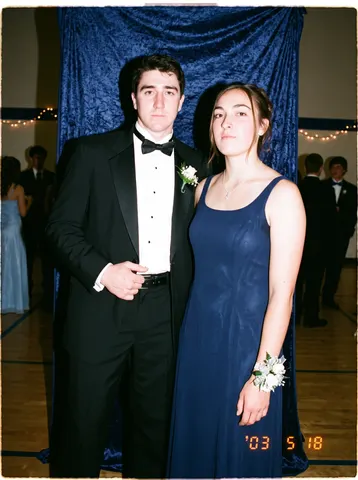
Transform this uploaded photo into a flash-lit prom-night snapshot from the early 2000s, the kind every couple has in a shoebox somewhere. Add the telltale direct on-camera flash look: slightly blown-out skin highlights, a hard black-edged shadow cast on the wall or curtain behind the couple, and a faint warm ambient tone bleeding in from the room lights.

Preserve both people's faces, identities, body positions, and the framing exactly as uploaded — only the lighting, color grading, and photo texture should change. Dress the scene with period-accurate touches like a plain gymnasium or hotel-ballroom backdrop, a corsage or boutonniere if visible, and posture typical of a formal dance photo, without altering who is in the photo or how they are posed.

Keep skin texture real — no smoothing, no plastic skin, no beautification. Add authentic film-flash grain and a very faint softness at the edges of the frame, the way disposable and point-and-shoot cameras rendered flash photos back then, but never smear or distort facial features.

The final result should look like an actual scanned 2003 prom photo pulled from a photo album — a little overexposed, a little grainy, unmistakably real.
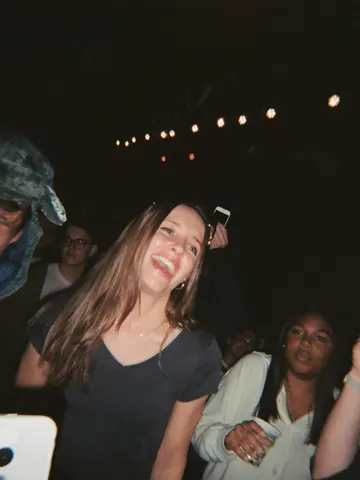
Fix the wrecked lighting in this uploaded photo. Concert and live-show shots taken on a phone almost always come out with a muddy color cast from the stage lights, crushed shadows, motion blur from the crowd swaying, and a grainy, noisy texture that hides the person's face. Correct the exposure and white balance so skin tones read true and natural again, sharpen the subject enough to be clearly recognizable, and calm the colored light wash into clean, separated hues instead of one bleeding blob of purple, red, or green.

Keep the subject's identity, pose, expression, and exact position in the frame completely unchanged — this is a lighting and clarity correction, not a re-pose or a re-composition. Preserve the venue, crowd, stage, and any visible performers or lighting rig exactly as they are; do not invent new background elements, signage, or people. Keep the framing and camera angle identical to the original.

Avoid over-smoothing skin or turning the photo into a flat, plastic-looking render — retain natural skin texture, fine grain, and a bit of realistic noise so it still reads as a real phone photo, not an airbrushed edit. Do not add lens flares, bloom, or any stylized cinematic color grade; the goal is clarity and accuracy, not a new look.

The final result should look like a sharp, true-color phone photo from the show — like it was actually shot on a better camera in better light, not edited.
Restyle this uploaded photo of two people as an early-2000s point-and-shoot digicam flash photo. Blast the subjects with harsh direct on-camera flash — blown-out highlights on skin, a slight flash halo, and the flat, slightly washed-out color palette of a cheap 3-megapixel camera sensor.

Keep the subjects' identities, poses, expressions, and the background setting exactly as they are in this uploaded photo — do not change who is in the frame, what they are wearing, or their arrangement. Preserve the composition, only restyle the lighting, color, and camera quality.

Add authentic digicam imperfections: mild noise and compression artifacts, slightly soft focus at the edges, a faint warm-yellow or cool-blue color cast typical of early digital sensors, and a subtle low-resolution feel. Do not smooth skin, do not add plastic or airbrushed retouching, and do not make the image look modern, sharp, or cinematic — it should look like it was pulled straight off a 2003 memory card.

The final result should look like a genuine early-2000s digicam flash photo of these two people, the kind you'd find scanned from an old CD-R of party pictures.
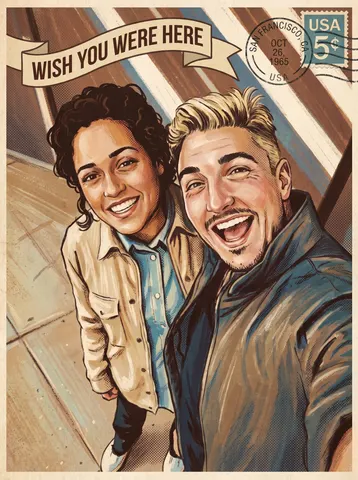
Transform this uploaded photo of the two of you into an illustrated vintage travel postcard. Restyle the scene with the warm, slightly faded color palette, soft halftone texture, and hand-painted illustration look of a mid-century tourism postcard, and add a curved 'Wish You Were Here' title across the top or bottom of the frame plus a small weathered postmark and stamp detail in one corner.

Preserve the exact identity of both people, their pose, expressions, and the framing and composition of the original photo — you are restyling the surface look, not the people. Keep the real location and setting recognizable rather than replacing it with a generic backdrop.

Keep the illustration credible: no melted or warped faces, no extra fingers or limbs, no garbled or duplicated text in the postcard title or postmark — a single clean line of lettering is enough. Retain a touch of visible brush or print texture rather than a flat, plastic, AI-smooth finish.

The final result should look like a real postcard you'd find in a vintage gift shop, made from your own memory instead of a stock illustration.
Remove every piece of confetti, streamers, and paper scatter from this uploaded photo. Look for confetti fragments resting on skin, hair, clothing, the floor, tables, and any other surface, and carefully erase them, reconstructing the surface underneath — skin texture, fabric weave, floor grain, tabletop finish — exactly as it would look without the confetti ever having landed there.

Keep the person's identity, facial features, expression, and pose completely unchanged. Preserve the original composition, camera angle, and framing exactly as shot. Do not alter the lighting, shadows, color temperature, or white balance of the scene — match the existing exposure so the cleanup is invisible.

Do not smooth or soften skin, do not add plastic or airbrushed texture anywhere in the image, and keep the natural photographic grain and noise level of the original photo intact. Avoid any warping, blurring, or duplicated background elements where the confetti used to be — the reconstructed areas should look like they were never disturbed.

The final result should look like the exact same photo, taken in the same moment, just without a single piece of confetti anywhere in frame.
Transform this uploaded photo into a screenshot of a live video call, like a genuine freeze-frame from a FaceTime or video chat app. Keep the person's face, identity, expression, and pose exactly as they appear in the original photo — do not change who they are or how they're posed, only restage the presentation as an in-call screen capture.

Add authentic video-call interface elements around the edges of the frame: a small rounded self-view thumbnail tucked in one corner, a call duration timer ticking near the top, subtle signal and battery icons, and a soft rounded-corner vignette like a phone screen being photographed. Keep these UI elements small, legible, and placed at the edges so they don't cover the face.

Preserve the original lighting, background, and composition of the photo — only add the believable screen-capture framing and interface chrome on top, without smoothing skin, adding plastic texture, or losing the natural grain of the source photo. Avoid garbled or nonsense text in any interface label; keep on-screen text minimal and legible.

The final result should look like someone screenshotted a video call mid-conversation with someone they love, worth sending back to them.
Correct the color cast on this uploaded photo. The image was shot under warm string lights or candlelight and everything — skin, walls, clothing, background — has picked up a heavy orange-yellow tint that makes it look dingy and off. Rebalance the white balance so skin tones read natural and true, whites and neutrals look actually white, and colors regain their real hue instead of being drowned in amber.

Keep the identity, expression, pose, and composition of the photo exactly as they are — do not reshape the face, change the outfit, or move anyone in the frame. Preserve the actual light sources (the string lights or candles can stay warm and glowing themselves), just stop that warmth from bleeding into everything else in the shot.

Do not smooth or soften skin, do not add plastic-looking texture, and keep the photo's natural grain and imperfections intact. This is a color correction, not a retouch — the goal is accurate color, not a filtered or airbrushed look.

The final result should look like the same party photo shot with proper white balance from the start — natural skin tones and true colors, with the festive lights still glowing warmly in the background exactly where they were.
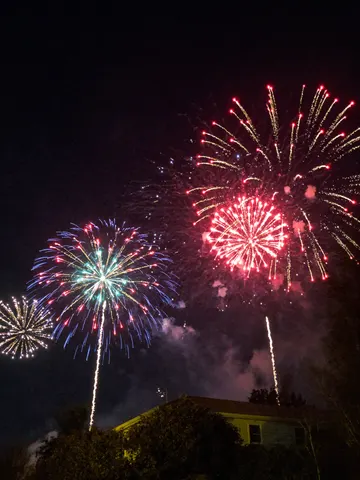
Fix this uploaded photo of a fireworks display. The fireworks came out dim, hazy, and smeared with motion blur — the bursts look like faint smudges of light lost in smoke and darkness instead of the crisp show you actually saw.

Sharpen every firework burst into crisp, well-defined trails and sparks, boost the color saturation of the burst colors, and clear away the haze and smoke so the night sky reads deep black instead of murky gray. Keep the composition, camera angle, and any visible skyline, crowd, or silhouettes exactly as they are — don't crop, don't add fireworks that weren't there, don't change what's actually in frame.

Preserve the photo's natural night-photography grain and any ambient light sources unchanged in position and color; avoid over-sharpening into a plastic or HDR-painted look, and don't smooth away the texture of smoke or clouds that are supposed to be there. This is a clarity and color correction, not a repaint.

The final result should look like the fireworks photo you meant to capture — crisp, vivid bursts against a clean night sky, exactly what your eyes saw in the moment.
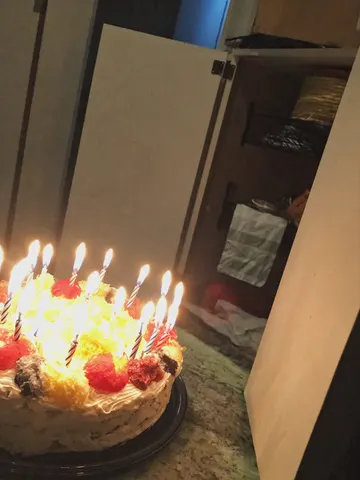
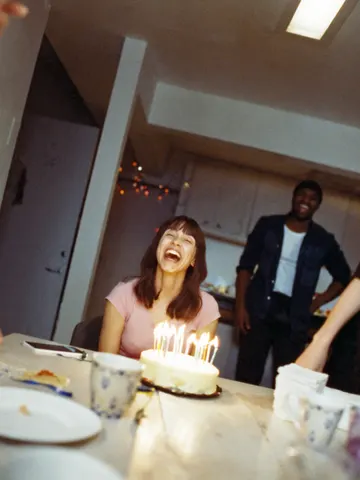
Remove the melted candle wax drips from this uploaded photo. Locate every trail of wax running down the side of the cake, pooling on the frosting, or hardened on the table or plate, and rebuild that area with smooth, undisturbed frosting or a clean surface that matches the surrounding texture, color, and lighting exactly.

Keep the cake's actual shape, layers, decorations, candles, and any writing or toppings completely unchanged — only the wax drips should disappear, not the cake itself. Preserve the composition, camera angle, and every other object in the frame precisely as it was.

Do not smooth, soften, or blur the frosting texture in the repaired areas — match the same slightly imperfect, hand-iced texture and lighting as the rest of the cake. Avoid any plastic or overly airbrushed look, keep natural grain and color variation intact, and make sure the fix is invisible rather than looking like a patch.

The final result should look like a beautifully clean cake photo, as if the candles were blown out before any wax ever had the chance to drip.
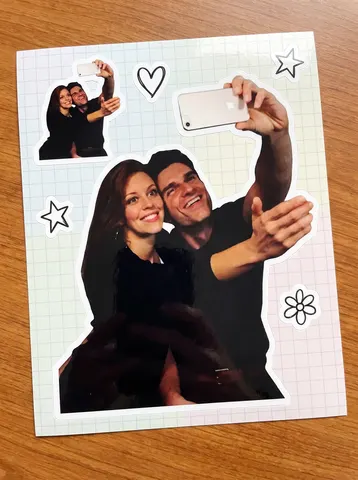
Turn this uploaded photo of a couple into a die-cut vinyl sticker sheet, the kind sold in a cute stationery shop. Cut the couple out from the photo and give them a thick white sticker border, like a glossy vinyl decal peeled straight off its backing. Duplicate the same cutout two or three times at different sizes across the frame, scattered like a real sticker sheet, along with two or three small matching doodle stickers around them — a heart, a star, a little flower — drawn in a simple hand-drawn line style.

Keep the couple's faces, expressions, outfits, and pose exactly as they are in the original photo — do not change their identity, proportions, or clothing. Set the whole sheet against a plain pastel or light grid background, like the backing paper a sticker sheet comes printed on.

Preserve the photographic quality and natural skin texture of the original photo inside each cutout — do not smooth skin, do not flatten it into flat cartoon shading, and do not distort faces or bodies. Keep the glossy sticker-vinyl look confined to the thin white die-cut border and a subtle shine, not the photo itself.

The final result should look like a real printed sticker sheet you'd peel apart and stick on a laptop or water bottle, made from your own photo.
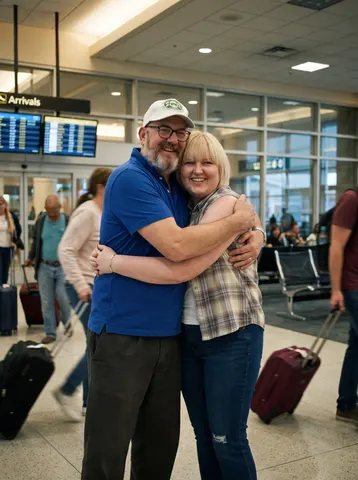
Transform this uploaded photo into a cinematic airport-reunion movie still. Reimagine the setting as an arrivals gate — warm terminal lighting, soft motion blur on travelers and rolling suitcases in the background, a sense of movement and emotion, like the exact frame after two people run into each other's arms.

Keep both people's faces, identities, and expressions exactly as they are in this uploaded photo — do not change who they are, their proportions, or their pose relative to each other. Preserve the emotional connection already in the original photo and let the new setting amplify it, not replace it.

Do not smooth or plastic-coat the skin, and do not lose pores, flyaway hairs, or fabric texture. Keep visible film grain and avoid warping hands, faces, or limbs. Lighting should feel warm and directional, like real terminal lighting bouncing off tile and glass, not an artificial studio glow.

The final result should look like a candid freeze-frame pulled from an emotional airport reunion scene in a romance film — real skin, real grain, genuinely moving, not overly polished or artificial.