Every fashion prompt in the library, complete and copyable from this page. Open any prompt page for the real before/after and step-by-step.
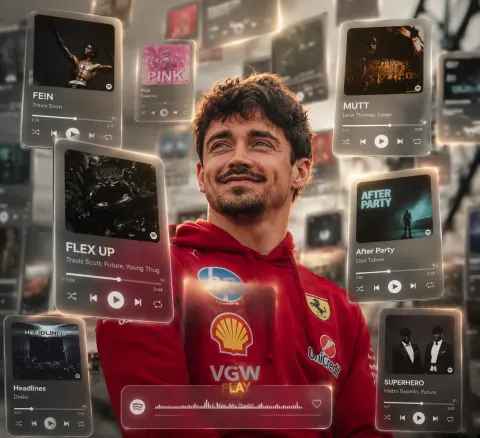
A cinematic, dreamlike AR visual featuring a central 151 photorealistic person surrounded by floating 3D Spotify/Apple Music interface cards. No dramatic look. the cards orbit around the subject at varying depths-some in the foreground obscuring the figure, others drifting behind. Style: Translucent frosted glass with glowing borders and rounded edges. Lighting: natural tones, Enhance the photo quality Includes depth of field (blurred background cards) and motion accents, highlighting [songs] :

Flex Up - Travis Scott, Future, Young Thug,
FE!N - Travis Scott,
MUTT - Leon Thomas, Easter
Pink - Fakemink
Headlines - Drake
After Party - Don Toliver,
Superhero - Metro Boomin & Future
player interfaces.
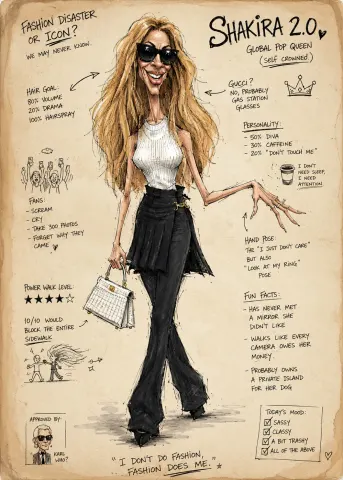
Turn the person from the photo into a grotesque humorous fashion caricature sketch. Strongly exaggerated anatomy, elongated proportions, expressive crooked hands, dramatic face, awkward elegant posture, satirical fashion energy, messy ink lines, rough watercolor, sketchbook style, vintage magazine illustration on beige aged paper. Add handwritten English notes, arrows, funny observations, doodles, and absurd personality analysis around the character.
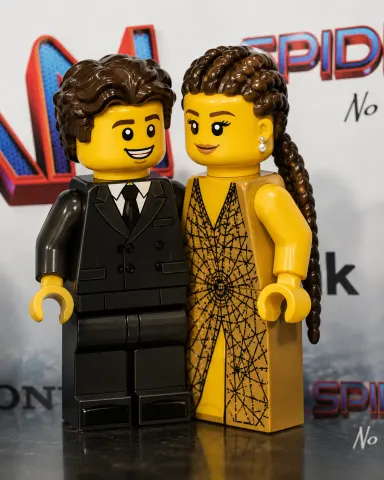
Use the uploaded photo as the reference image. Transform the person or people into authentic classic LEGO minifigures. Preserve the original number of people, pose, facial expression, hairstyle, outfit colors, accessories, relationship between subjects, camera angle, framing, background concept, and overall composition. Convert every person into official LEGO minifigure anatomy only: cylindrical yellow head with top stud, short blocky torso, hinged arms, curved C-shaped hands, molded plastic hair or hats, short rectangular legs, and flat integrated rectangular feet. Do not preserve realistic human proportions. Proportions are critical. The legs must be short and compact, roughly the same height as the torso, not longer. Feet must be thin, flat, shallow rectangular extensions built into the leg piece. No separate shoes, platform soles, tall toe blocks, boots, heels, ankles, toes, calves, or realistic footwear. For pants, suits, jeans, shorts, tracksuits, or casual outfits: use standard LEGO minifigure legs with clothing and shoe details printed onto the legs and feet.
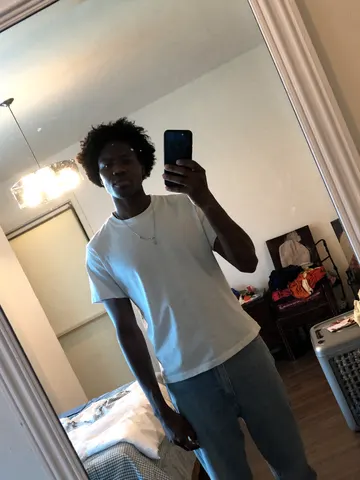
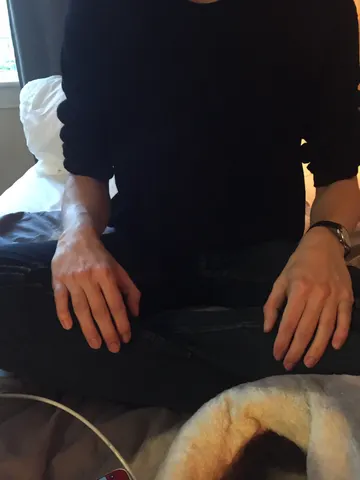
Look closely at this uploaded photo and remove any visible deodorant or antiperspirant residue marks from the fabric under the arms. Rebuild the clothing texture, color, and weave pattern underneath the marks exactly as it would look if the fabric were clean — matching the surrounding fabric's shading, folds, and fiber texture so the repair is invisible.

Keep the person's identity, pose, body position, facial features, and expression completely unchanged. Preserve the exact framing, composition, lighting direction, and background of the original photo — do not recompose, re-crop, or change the camera angle.

Do not smooth or soften the skin, do not alter the garment's color or fit elsewhere, and do not introduce plastic-looking texture or oversharpening. Keep natural fabric wrinkles, phone-camera grain, and realistic lighting variation intact everywhere except the corrected area.

The final result should look like the same candid photo, taken seconds earlier, before the fabric ever touched deodorant — a completely clean, unmarked garment with everything else untouched.
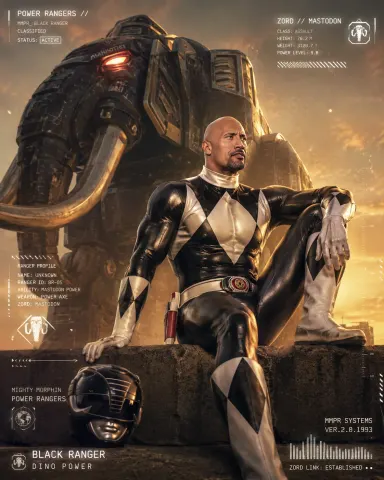
"Create a new image based on the photo uploaded. A high-fashion, cinematic editorial portrait of the subject as the [COLOR] Ranger of Mighty Morphin Power Rangers. The subject is sitting on a concrete ledge with a slim-fit, metallic [COLOR] spandex suit featuring white diamond patterns. Beside the subject on the ground is a [COLOR] ranger helmet. Towering behind the subject is a massive, hyper-realistic [ANIMAL] zord made of weathered gritty black metal with glowing red eyes. The scene is shot from a low angle using a professional DSLR with a wide-angle lens to create a sense of scale. The lighting is dramatic 'Golden Hour' backlighting with glowing dust particles in the air. Overlaid on the image are futuristic, minimalist HUD graphics and white technical text."
Remove the stain from this uploaded photo. Study the fabric around the spill, mark, or discoloration and rebuild that section so it matches the surrounding weave, color, and texture exactly — cotton grain, subtle wrinkles, and natural fabric sheen included. Do not flatten, blur, or smooth the material into a plastic-looking patch; the repaired area must have the same fine texture and light fabric noise as the rest of the garment.

Keep everything else in the photo completely unchanged: the person's identity, pose, body proportions, the room, the lighting direction and color temperature, and the framing must all stay exactly as they are. Do not retouch skin, hair, or background — this is a fabric fix only, not a full photo edit.

Avoid any AI smoothing or over-sharpening artifacts around the repaired area. Keep natural photo grain and imperfections everywhere else in the frame so the whole image still reads as one continuous, unedited photograph.

The final result should look like the garment came straight out of the wash — no stain, no shadow of where it was, and no visible sign that anything was ever edited.
Remove all traces of pet hair and fur from the clothing, furniture, or surface in this uploaded photo. Carefully lift away every stray hair, clump, and fine fuzz clinging to fabric, cushions, or blankets, leaving the material looking freshly brushed and lint-free.

Keep the subject's identity, pose, composition, and framing completely unchanged. Preserve the exact lighting, shadows, colors, and fabric texture and weave — do not smooth, flatten, or re-render the material itself, only eliminate the loose hair sitting on top of it.

Avoid any plastic, waxy, or over-smoothed look. Keep natural fabric grain, creases, and realistic texture intact; this is a cleanup of debris, not a skin or surface retouch. No new wrinkles, colors, or objects should be introduced.

The final result should look like the exact same photo, freshly lint-rolled, with every last pet hair gone.
Use the uploaded photo as the reference image. Convert the entire image into a clean JRPG-style pixel-art scene. Preserve the original subject, pose, outfit, hairstyle, facial expression, skin tone, body proportions, props, background, camera angle, framing, perspective, lighting direction, color temperature, and overall scene layout. Do not redesign the scene or add new objects. Render it like a late-1990s / early-2000s 2D pixel-art game background with a character sprite integrated into the environment. The style should feel like an urban slice-of-life JRPG, visual novel background, or early console story-game cutscene. Keep the original photo's lighting mood and color relationships. Do not shift the image warmer, darker, more orange, more brown, more sepia, or more cinematic. Preserve natural skin color, original clothing colors, original shadow direction, and the overall white balance from the reference photo. Use clean hand-pixeled rendering, muted but accurate colors, simple readable forms, crisp outlines, controlled pixel clusters, subtle dithering, and soft blocky shadows. The character should look like a natural semi-realistic anime/JRPG pixel character, not chibi and not overly cute. Preserve the person's recognizable hairstyle, outfit, pose, proportions, expression, skin tone, and facial structure, simplified into pixel-art form. The environment should stay faithful to the reference photo
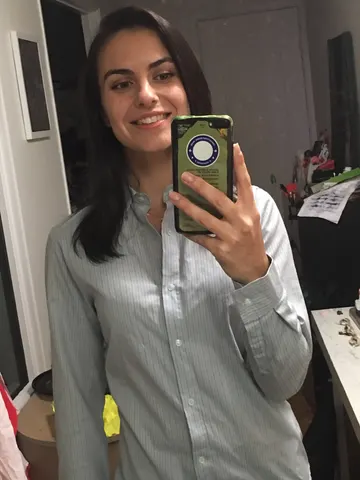
Smooth out every wrinkle, crease, and fold in the clothing in this uploaded photo. Focus on the fabric across the chest, shoulders, sleeves, and hemline of whatever the subject is wearing, and press it flat like it just came off a hanger, ready for a fit-check post.

Keep the subject's identity, face, pose, and body exactly as they are — do not change their expression, proportions, or the way they're standing. Preserve the original background, composition, and lighting of the photo; only the fabric itself should change.

Keep the material looking like real cloth as you flatten the wrinkles — preserve the natural fabric weave, stitching, and texture instead of turning it smooth, plastic, or waxy. Keep the photo's original grain and any mild noise so it still reads as a real photo, not an AI-smoothed render.

The final result should look like the outfit was freshly steamed and pressed seconds before the photo was taken — crisp, camera-ready, and completely natural.