Complete prompt text, copyable straight from this page. Open any prompt for the real result and the step-by-step.
## Funny Ugly Doodle Prompt

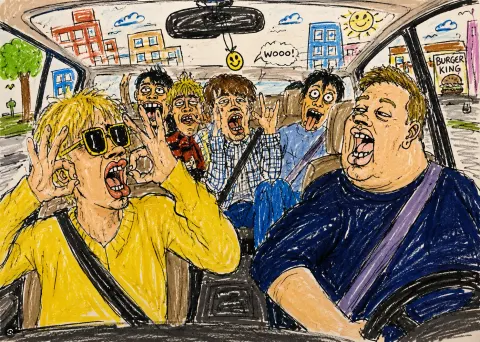
Turn this photo into a funny ugly doodle drawing. Make it look like: a quick sketch using a cheap marker or crayon messy, rough, childlike style bad perspective and awkward proportions slightly exaggerated facial features Add: simple cartoon background (like buildings, trees, street) random sketchy lines and details uneven coloring and visible strokes Style: looks like a lazy drawing, not polished humorous and a bit stupid-looking meme-like, casual, internet style Do NOT: make it realistic.
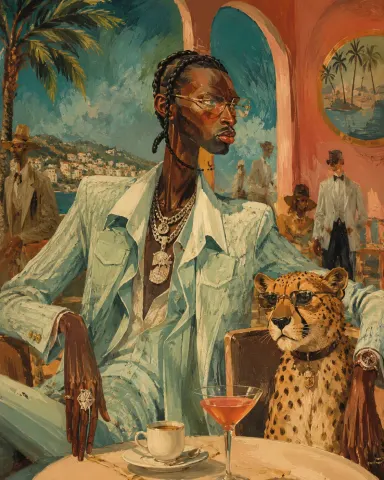
Surreal mid-century editorial illustration of an eccentric version of the person in the photo and a [ANIMAL] inside a stylish [SCENERY], elongated proportions, exaggerated narrow faces, deadpan expressions, oversized accessories, bizarre fashionable atmosphere, painterly brush textures, distorted anatomy, subtle lowbrow surrealism, sophisticated absurdity, vivid retro color palette dominated by [COLOR 1], [COLOR 2], and [COLOR 3], expressive oil-painted strokes, fashionable vintage clothing, dramatic jewelry and eyewear, whimsical background characters softly blurred in distance, elegant café culture energy, cinematic composition, textured painted background, contemporary art gallery meets 1960s Riviera illustration, highly stylized editorial aesthetic, vertical composition 4:5
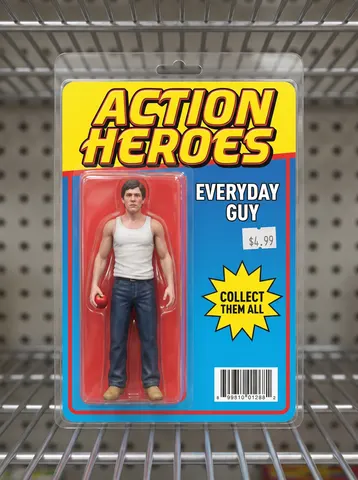
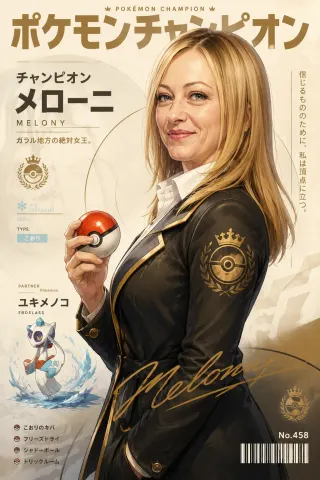
Create an ultra-detailed cinematic Pokémon poster featuring a Pokémon Champion standing confidently in side profile while holding a Poké Ball. The character is a [DESCRIPTION: e.g. BEAUTIFUL 28-YEAR-OLD WOMAN] whose facial features, skin tone, hairstyle, facial structure, eye shape, smile, and overall appearance closely match the uploaded reference image exactly. Maintain strong facial likeness and identical body proportions from the reference photo. Face and body exactly same as uploaded image. Style combines semi-realistic anime painting, cinematic game-poster aesthetics, modern Pokémon concept art, painterly brush strokes, soft polygonal shading, highly detailed character illustration, premium trading-card artwork, and Japanese gaming magazine cover design. COMPOSITION: Vertical poster layout with the champion centered in a heroic pose against a clean cream-colored background with minimalist editorial styling and modern esports-inspired composition...
Remove the digital date/time stamp burned into this uploaded photo. Locate the orange or yellow LCD-style numbers stamped in the corner — typically a date, time, or frame counter left by an old point-and-shoot or disposable camera — and reconstruct the image underneath them as if the stamp were never there.

Preserve the identity of every person, the exact composition, framing, and lighting of the original photo. Do not shift, crop, or re-light the scene — only rebuild the small patch of image where the stamp sat, matching the surrounding grain, color, and texture exactly.

Keep the photo's natural film or sensor grain, mild noise, and true-to-life color balance. Do not smooth or soften skin, do not add plastic-looking texture, and do not introduce new artifacts, blur, or warping anywhere else in the frame.

The final result should look like the original photo was never stamped at all — a clean, natural shot with no visible trace of the date/time overlay.
Look closely at this uploaded photo and locate any watermark, logo stamp, username handle, or semi-transparent app overlay printed across the image. Digitally remove every layer of that watermark completely, rebuilding the covered pixels underneath so the photo reads as a clean original capture with nothing printed on top.

Keep the subject, composition, framing, and lighting of the photo exactly as they are — do not recrop, do not shift objects, do not change colors or exposure beyond what is needed to erase the overlay. Reconstruct any texture, food, fabric, or background detail that was hidden behind the watermark so it blends seamlessly with the surrounding pixels.

Avoid smoothing or plastic-looking patches where the watermark used to sit — preserve the natural grain, texture, and mild noise of the original photo so the fix is invisible. No new blur, no warped edges, no leftover ghosting or faint text outlines.

The final result should look like the photo was never watermarked at all — just a clean, ordinary phone photo you could have taken yourself.
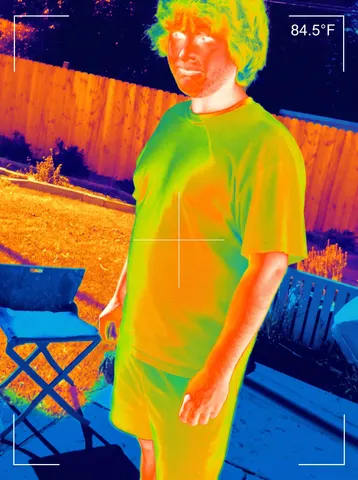
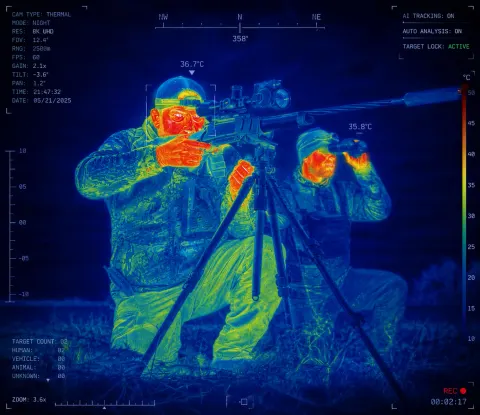
Transform the uploaded image into a highly realistic AI thermal vision surveillance scan while preserving the exact identity, facial features, body proportions, pose, clothing, background, lighting direction, and camera perspective of the original photo. Convert the entire scene into a futuristic military-grade infrared thermal imaging view as if captured through an advanced thermal camera. Render the subjects with realistic heat signatures, using a scientific thermal color spectrum where cooler areas appear deep blue and cyan, medium temperatures appear green and yellow, and warmer areas such as faces, hands, and exposed skin transition into orange, red, and white highlights. Maintain the original clothing shapes and textures but reinterpret them through thermal material detection, showing realistic heat absorption and temperature differences across fabrics. Add subtle AI computer vision analysis elements including face recognition brackets, body tracking markers, temperature readings, thermal scale indicators, digital sensor overlays, scanning lines, grid patterns, small technical HUD text, and futuristic surveillance interface details integrated naturally into the image. The result should look like an authentic screenshot from a next-generation military reconnaissance camera or AI-powered security system, with ultra-detailed infrared rendering, realistic heat distribution, sharp edges, high contrast, subtle sensor noise, infrared bloom, professional VFX quality, 8K detail, and believable thermal camera artifacts. Keep the original composition and framing unchanged, make it photorealistic and technologically advanced, not cartoonish, not fantasy, not stylized.
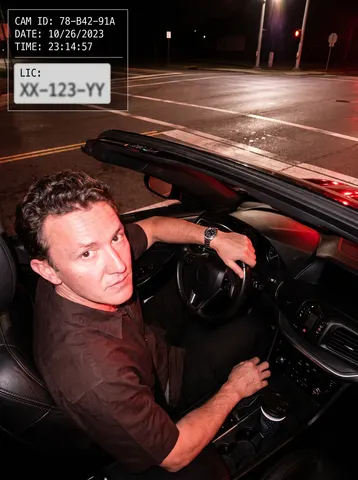
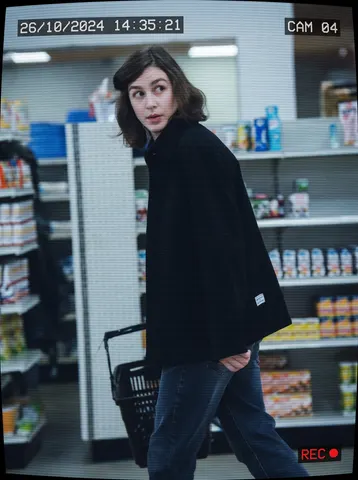
Transform this uploaded photo into a candid CCTV security-camera still. Apply a cool, slightly desaturated surveillance color grade, subtle horizontal scanlines, and a mild fisheye-style lens curvature at the edges of the frame, as if captured from an overhead security camera.

Add authentic graphic overlay chrome in the corners: a small burned-in timestamp (date and time) in the top-left corner, a camera ID label like "CAM 04" in the top-right corner, and a thin red "REC" indicator with a small dot in a corner, all rendered in a blocky monospace font typical of real CCTV systems.

Preserve the subject's identity, pose, and framing from the original photo, keeping the composition readable as a genuine security-camera capture rather than a staged photo. Do not add soft film grain, light leaks, or blur — keep the image graphically sharp so the CCTV overlay elements stay crisp and legible at thumbnail size. No real brand names, camera manufacturer logos, product packaging text, or trademarked UI elements should appear anywhere in the overlay or background.

The final result should look like an authentic pulled CCTV security still, timestamped and labeled, unmistakably surveillance footage of a real moment.
Turn this photo into a funny ugly doodle drawing. Make it look like: a quick sketch using a cheap marker or crayon messy, rough, childlike style bad perspective and awkward proportions slightly exaggerated facial features Add: simple cartoon background (like buildings, trees, street) random sketchy lines and details uneven coloring and visible strokes Style: looks like a lazy drawing, not polished humorous and a bit stupid-looking meme-like, casual, internet style Do NOT: make it realistic.
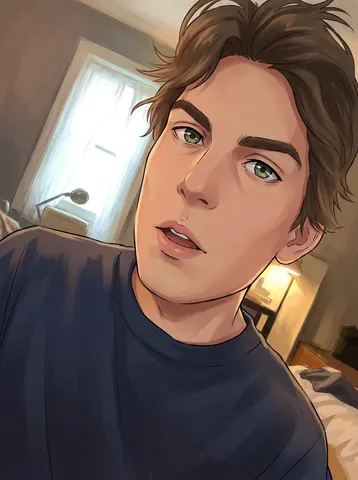
Transform this uploaded photo into a hand-painted anime portrait. Reimagine the subject with clean cel-shaded linework, soft painterly shading, and expressive anime-style eyes, while keeping their exact facial structure, hairstyle, and expression fully recognizable — this should read as clearly them, just illustrated.

Preserve the original pose, composition, and framing of the photo. Keep clothing, accessories, and background elements recognizable, reimagined in the same anime-painterly style rather than replaced or invented. Maintain the original lighting mood and color palette, translated into flat and gradient anime shading instead of photographic light.

Avoid generic or off-model anime faces, waxy plastic skin, or losing the subject's real likeness. Keep linework clean but not sterile — subtle brush texture and painterly color blending should stay visible, not a flat filter overlay. No text, no logos, no unrelated added characters.

The final result should look like a frame pulled from a hand-painted anime film starring this exact person, instantly recognizable as them.
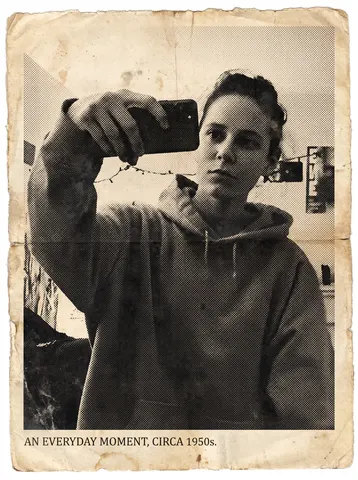
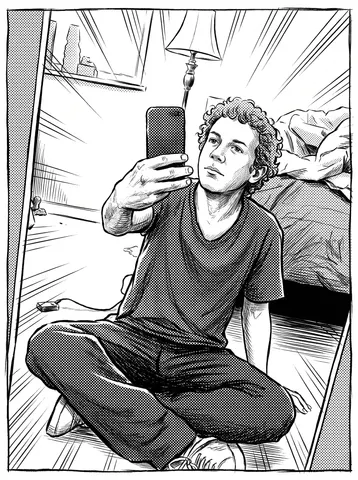
Turn this uploaded photo into a vintage newspaper clipping, like it was torn from a decades-old print edition. Convert the image to a grainy black-and-white halftone print — visible dot pattern, slightly uneven ink coverage, a bit of ghosting/registration blur — and set it inside a clipping with a rough torn paper edge, aged yellowed paper tone, and a small serif caption line beneath it.

Keep the person's identity, pose, expression, and the composition of the original photo completely unchanged — only the print process and paper are new. Do not smooth or beautify the face; keep real skin texture, real hair strands, and natural asymmetry intact under the halftone dots.

Avoid modern-looking sharpness, color bleed, plastic skin, or an obviously digital filter look. The halftone dots and paper grain should feel physically printed, not like a preset overlay, and the torn edge should look hand-torn, not vector-perfect.

The final result should look like a real clipping salvaged from an old newspaper archive — grainy, aged, slightly imperfect, like someone could have actually cut it out decades ago.
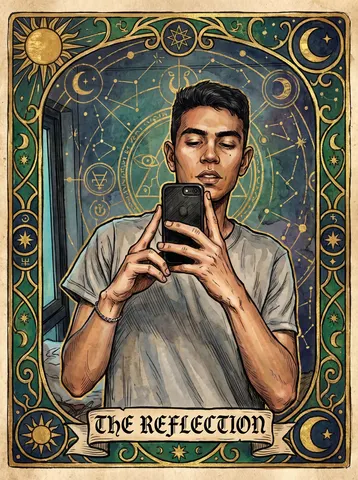
Transform this uploaded photo into an ornate tarot card illustration. Recompose the subject as the central figure of a major arcana-style card, rendered in rich hand-painted linework with gilded ornamental borders, mystical symbols, and a soft muted color palette of deep golds, emeralds, and ink blues.

Preserve the subject's identity, facial features, pose, and body proportions exactly as shown — only restyle the artwork, lighting, and setting around them into the tarot aesthetic. Do not distort or exaggerate proportions, and keep the framing recognizable as the same person.

Add a single elegant title line in a classic serif/blackletter style along the bottom of the card border (do not add dense credits or extra text blocks). Keep painterly texture and fine linework crisp — no plastic smoothing, no blurred details, retain a hand-illustrated grain.

The final result should look like a beautifully illustrated antique tarot card, as if pulled straight from a mystical deck, with the person unmistakably recognizable inside the artwork.
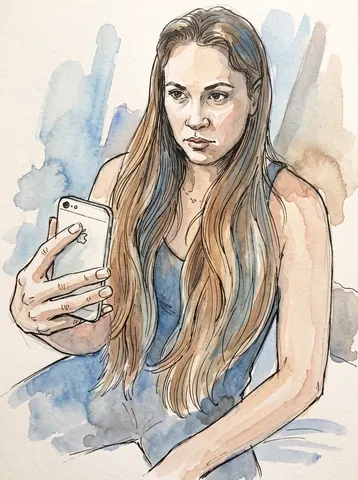
Transform this uploaded photo into a loose ink-and-watercolor sketch portrait. Redraw the subject with visible hand-inked linework and soft, bleeding watercolor washes that pool and feather slightly at the edges, like a page pulled straight from an artist's travel sketchbook.

Preserve the subject's identity, facial features, pose, and expression exactly as photographed, and keep the original composition and framing unchanged. Let the background simplify into loose washes of color and suggested shapes rather than a literal rendering, but keep it recognizable as the same setting.

Keep the linework imperfect and human — visible pencil guides, slightly uneven ink lines, and visible paper grain and texture. Do not smooth the result into a clean digital illustration or add glossy shading; avoid plastic skin, symmetrical over-polish, or anime-style enlarged eyes.

The final result should look like a real watercolor-and-ink sketch someone painted by hand from this exact photo.
Remove the dark, out-of-focus smudge blocking part of this uploaded photo — the classic accidental finger-over-the-lens blur that ruins an otherwise good shot. Reconstruct whatever was hidden behind that blurry patch so the corner or edge looks like it was never covered in the first place.

Keep everything else in the photo exactly as it is: the same composition, framing, colors, and lighting throughout the rest of the frame. Don't add, remove, or rearrange any other object, and don't crop or zoom the shot to hide the fix — just clear the obstruction and fill in what was behind it naturally.

Match the reconstructed area to the surrounding light, focus, and grain so the seam is invisible — no smudging, no plastic smoothing, no obvious AI patchwork, and keep the same mild everyday photo noise and texture as the rest of the image.

The final result should look like a normal, perfectly framed photo with no visible obstruction at all — as if the shot was clean from the moment it was taken.
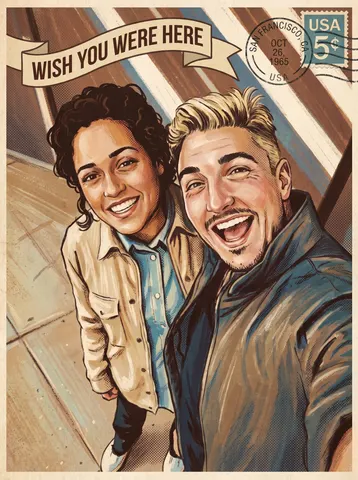
Transform this uploaded photo of the two of you into an illustrated vintage travel postcard. Restyle the scene with the warm, slightly faded color palette, soft halftone texture, and hand-painted illustration look of a mid-century tourism postcard, and add a curved 'Wish You Were Here' title across the top or bottom of the frame plus a small weathered postmark and stamp detail in one corner.

Preserve the exact identity of both people, their pose, expressions, and the framing and composition of the original photo — you are restyling the surface look, not the people. Keep the real location and setting recognizable rather than replacing it with a generic backdrop.

Keep the illustration credible: no melted or warped faces, no extra fingers or limbs, no garbled or duplicated text in the postcard title or postmark — a single clean line of lettering is enough. Retain a touch of visible brush or print texture rather than a flat, plastic, AI-smooth finish.

The final result should look like a real postcard you'd find in a vintage gift shop, made from your own memory instead of a stock illustration.
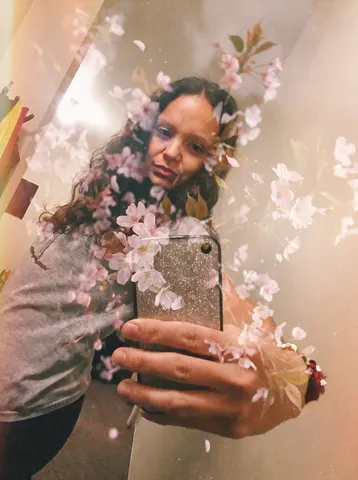
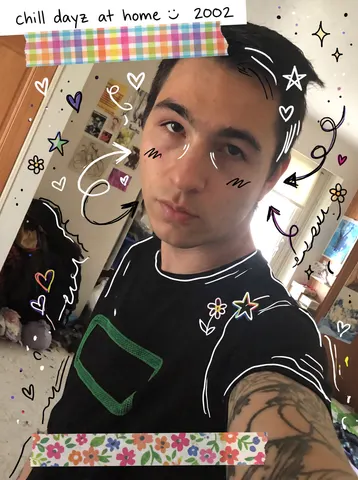
Add a hand-drawn doodle diary overlay to this uploaded photo, like a page torn from a Y2K scrapbook journal. Scatter playful hand-drawn doodles around the subject — little hearts, stars, swirly arrows, a squiggly underline, tiny flowers — in white or colored marker/pen style, plus one or two strips of washi tape and a short handwritten caption in the corner, as if someone decorated a printed photo by hand.

Keep the photo underneath completely untouched: the person's identity, face, expression, pose, outfit, the background, the composition, and the lighting must stay exactly as they are in the original. The doodles and tape sit on top of the photo like an overlay, they do not replace or repaint any part of the real image.

Avoid making the doodles look like a digital font or a heavy filter — they should look like genuine handwriting and hand-drawn ink lines, slightly uneven and imperfect, with the tape looking like real paper with a bit of texture and a soft shadow. Keep the photo's own grain and natural imperfections untouched underneath the doodles.

The final result should look like a real printed photo that a friend decorated by hand with pens, stickers, and washi tape for a scrapbook page.