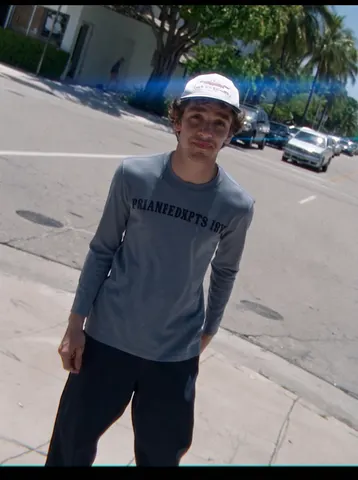
Every prompt in this pack, complete and copyable from this page. Open any one for the real before/after and the step-by-step.
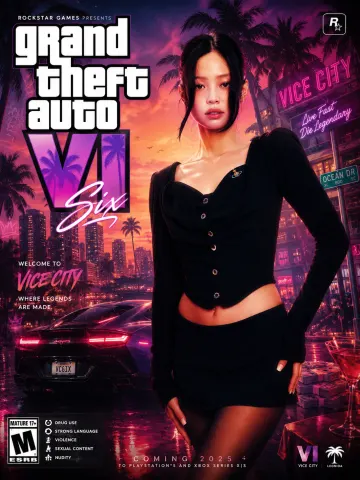
Create a highly detailed 8K portrait poster inspired by the iconic visual style of the modern Grand Theft Auto VI promotional artwork aesthetic, featuring a cinematic urban atmosphere with bold composition, vibrant lighting, layered graphic elements, and stylish contemporary street-luxury fashion energy. The overall design must strongly capture the signature mood of GTA VI posters, including dynamic neon color grading, tropical-modern city vibes, dramatic shadows, glossy highlights, stylized textures, decorative ornaments, graphic overlays, urban symbols, luxury lifestyle accents, and immersive environmental storytelling. Add premium poster decorations such as abstract shapes, graffiti-inspired accents, subtle retro-modern textures, luxury vehicle silhouettes, nightlife elements, palm tree shadows, street sign details, glowing reflections, and layered visual effects that enrich the composition without making it feel overcrowded. Include a large cinematic title text "Grand Theft Auto VI" prominently on the poster using typography inspired by official AAA video game promotional posters, with the full version of "GTA" clearly written as "Grand Theft Auto." The typography should feel bold, luxurious, modern, and integrated naturally into the poster design, supported by additional smaller decorative texts, symbols, labels, and graphic UI-style elements to strengthen the authentic game-poster atmosphere...
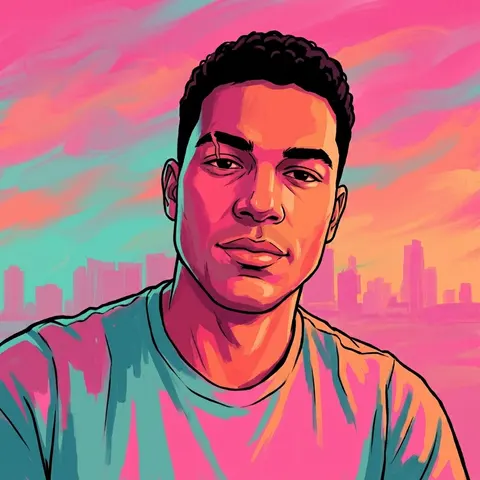
Transform this uploaded photo into a hand-painted, open-world video game loading-screen character portrait. Preserve the subject's exact facial identity, bone structure, and any distinguishing marks while reimagining the rendering style entirely — the person underneath should still be unmistakably them.

Apply bold flat cel-shading with heavy black linework outlining the face, hair, and jaw. Use a saturated tropical sunset palette: hot pink, deep teal, and burnt orange bleeding through the highlights and shadows. Light the face dramatically from one side, letting the opposite side fall into stylised shadow.

Render the subject at a confident three-quarter angle, chin slightly lifted, expression sharp and self-assured rather than neutral. Add a faint tropical skyline silhouette in the background, softly out of focus, suggesting a coastal city at dusk without depicting any specific real location.

Keep skin texture believable underneath the stylisation, and do not add any text, logos, watermarks, game titles, numerals, or franchise iconography of any kind. The final result should look like concept-art quality: painterly, graphic, and iconic — the kind of portrait that would greet a player before they load into a world.
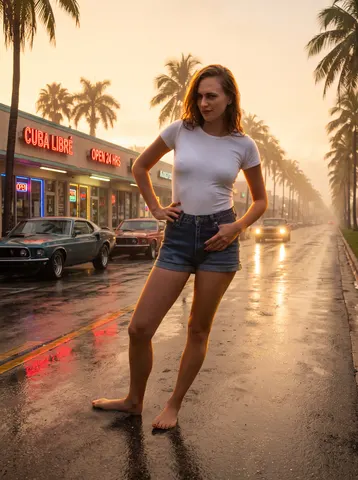
Place the person from this uploaded photo into a humid coastal city street at golden hour. Build out a Miami-style backdrop behind them — low strip-mall storefronts with glowing neon signage, wet asphalt streaked with reflected light, parked muscle cars along the curb, and rows of palm trees fading into a warm haze.

Preserve the subject's face, body proportions, pose, and clothing exactly as captured — do not alter their identity, expression, or outfit. Relight them naturally so they sit believably in the new environment: match the warm golden-hour color temperature and rim light to the scene, and add a touch of ambient bounce from the wet pavement below.

Keep the composition and camera framing from the original photo. Render the environment with photographic depth and correct perspective, not a flat backdrop — reflections on the asphalt should track the neon signage and headlights realistically. Do not smooth the subject's skin, do not stylize them into an illustration, and do not add any artificial-looking halo or cutout edge around them.

The final result should look like a single unedited photograph — a real person caught on a humid Miami side street at golden hour, neon reflections pooling on the wet road around them.
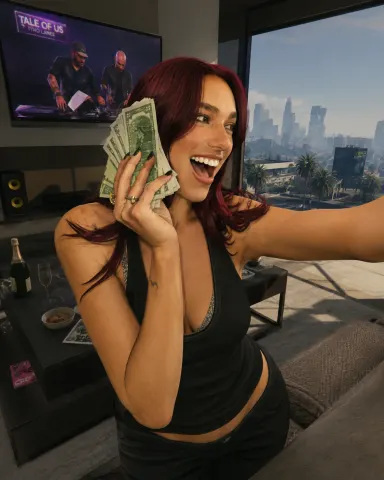
Rebuild the entire scene from the reference image as a real-time 3D render inside the GTA V Rage engine. Do not apply a filter. Fully reconstruct all people, vehicles, architecture, terrain, and props as polygonal 3D assets native to GTA V. The result should look like an authentic in-game screenshot captured on a high-end PC, ultra settings enabled. All subjects must be converted into clearly modeled geometry with visible polygon structure, baked normal maps, and game-ready textures. Faces, bodies, and clothing should follow GTA V character proportions and anatomy, slightly exaggerated, rigid, and digitally sculpted. Skin is matte and textured, no photographic pores. Hair is clumped, card-based, slightly stiff. Clothing uses flat fabric shaders with visible seams and texture repetition. Environment must feel like Los Santos or Blaine County logic. Buildings are modular, edges slightly sharp, surfaces tiled and optimized. Roads, sidewalks, vegetation, street props, and background elements are simplified but dense, clearly game-built constructed. No real-world photographic depth or lens artifacts. Lighting follows GTA V real-time lighting behavior. Strong directional sunlight or overcast skylight depending on scene. Hard shadows with defined edges, subtle ambient occlusion in corners. Reflections are screen-space and imperfect. Colors are slightly saturated with the recognizable GTA V color grading. Contrast is controlled but punchy. Materials must read as video game assets. Asphalt is flat and grainy. Metal has simple specular highlights. Glass is clean with limited reflection depth. Vegetation is slightly stiff and stylized. Nothing should appear physically accurate or cinematic-render realistic. Camera should feel like a gameplay or Rockstar Editor capture. Third-person or free camera perspective. Slight wide-angle distortion. Stable framing. No depth of field blur. No motion blur unless minimal and engine-based. Overall look is unmistakably GTA V. Real-time 3D. Polygon. Textured. Optimized. Stylized realism. Clearly not a photograph.
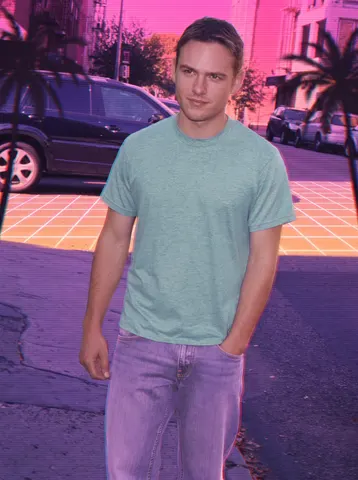
Restyle this uploaded photo into 1980s Miami Vice synthwave aesthetic. Wash the scene in a chrome gradient sunset — hot pink bleeding into deep purple and orange along the horizon, with a glowing sunset grid line stretching behind the subject. Add soft palm tree silhouettes at the edges of the frame and a faint scanline overlay across the entire image, like a VHS tape paused mid-frame.

Keep the person's facial identity, proportions, and pose completely unchanged — do not reshape the face, alter expression, or change body proportions. Preserve the original composition and camera framing exactly; only the color grade, lighting mood, and background elements shift into the retro synthwave world. Recolor clothing into pastel tones — dusty teal, coral, or lavender — evoking 80s resort wear, without changing the actual garment shapes.

Introduce authentic VHS chroma bleed at high-contrast edges (subtle red/cyan fringing), light film grain, and a warm analog softness — but do not smooth or plasticize the skin, do not add glossy digital sheen, and do not erase texture or pores. This should look like a photo run through a real vintage synth filter, not an AI illustration.

The final result should look like a candid photo pulled from a 1985 Miami postcard shoot — chrome sunset, neon horizon, pastel wardrobe, and warm VHS grain, with the subject's real face and pose untouched.
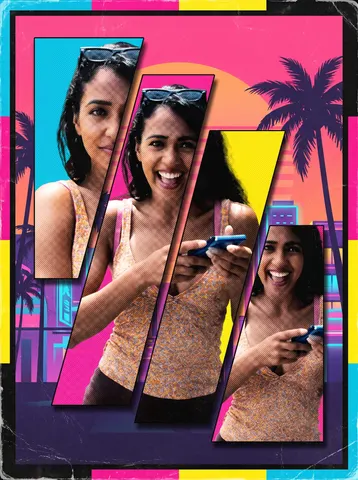
Turn this uploaded photo into a retro-style video game box art cover, built as a multi-panel collage the way classic open-world game covers are designed. Keep the subject's face, identity, and body proportions from this exact photo unchanged across every panel; do not invent a different person or blend in another face.

Compose the cover as three or four overlapping character panels cut from this same photo, each cropped and angled differently, layered with hard-edged silhouette cutouts and a subtle drop shadow so they read as a poster montage rather than a single photograph. Along the bottom, add a thin strip of a stylized tropical city skyline at sunset, palm trees and neon-lit buildings in silhouette against a pink-orange gradient sky. Frame the whole composition with a bold rectangular border in a saturated color-block palette, leaving clean margins the way a physical game case would.

Give the finished cover a subtle print texture, slight halftone dot grain, and light shelf wear at the corners and edges, as if it were a physical disc case that has been handled, without adding any text, logos, ratings badges, or a title. Do not smooth or plasticize any skin visible in the panels, and keep the lighting and color of the source photo readable within each cutout rather than fully repainting the person.

The final result should look like the front cover art of a AAA open-world crime game box, a bold collage of the same person cut into layered panels over a neon tropical skyline, framed and worn like real retail packaging.
Transform this uploaded photo into a single cinematic trailer still, as if it were the hero marketing beauty shot cut into a AAA open-world game's launch trailer, not a gameplay screenshot. Keep the subject's identity, pose, and the framing of this exact photo unchanged; do not swap faces, body proportions, or restage the scene.

Apply anamorphic lens flare where a bright light source would naturally streak across the frame, add subtle chromatic aberration at the edges, and give the shot shallow depth of field so the background falls into a soft cinematic blur while the subject stays tack-sharp. Grade the color like a big-budget marketing key art: warm-cool split toning, lifted blacks, glossy saturated highlights, and a faint teal-magenta neon undertone consistent with a Miami-inspired open-world game.

Add thin black letterbox bars top and bottom to lock the frame to a cinematic widescreen ratio, and lay in a light film grain across the whole image so it reads as a shot pulled straight from a trailer, not a filtered selfie. Do not smooth or plasticize the skin, do not add text, logos, or a title card, and do not alter the composition or the subject's expression, this is a color and lens treatment on top of the real photo, not a new photo.

The final result should look like a single freeze-frame from a next-gen game's official marketing trailer, the same photo, lit and graded like a hero beauty shot with flare, grain, and letterbox bars.
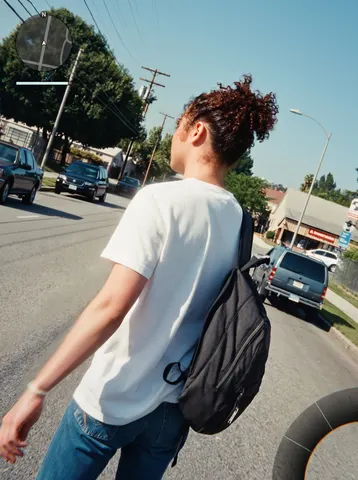
Recompose this uploaded photo into a third-person open-world video game screenshot, as if captured mid-gameplay from an over-the-shoulder chase camera positioned just behind and above the subject's shoulder.

Render the scene with photoreal game-engine lighting: subtly heightened contrast, slight bloom on bright highlights, faint chromatic edges, and light directional motion blur trailing off the subject's back foot and swinging arm to suggest forward movement. Add a minimal HUD overlay: a small circular minimap in the top-left corner with a simple direction blip, a slim health/stamina bar beneath it, and the curved edge of a weapon/item wheel just visible fading in at the frame's bottom-right corner. Keep all HUD elements simple placeholder shapes with no readable text, brand names, or logos.

Preserve the subject's identity, body proportions, hairstyle, clothing, and pose exactly as in the source photo — this is a re-render of the same person on the same street, not a new scene or a different person. Keep the same camera framing, distance, time of day, and lighting direction, only reinterpreted with engine-render textures. Avoid plastic or waxy skin, avoid warped hands or feet, and keep fabric and skin texture with natural grain intact.

The final result should look like a real paused screenshot from a next-gen open-world crime game — same person, same street, now rendered in-engine with HUD elements and cinematic motion blur.
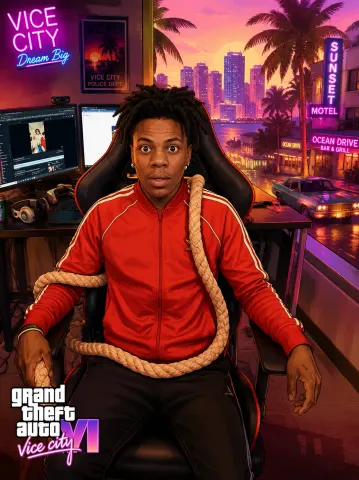
Transform the uploaded image into a high-end commercial illustration inspired by the promotional loading screen artwork of Grand Theft Auto VI and Grand Theft Auto: Vice City. Preserve the exact identity, pose, facial features, clothing, accessories, hairstyle, camera angle, and overall composition of the original photo. Reimagine the existing background rather than replacing it. Keep the original location immediately recognizable by preserving its layout, perspective, architecture, streets, natural features, landmarks, and overall atmosphere. Reinterpret the environment as if it exists naturally within the world of Grand Theft Auto VI's Vice City, enhancing it with richer visual storytelling, more stylized architecture, cinematic lighting, refined environmental details, vibrant colors, subtle signage, atmospheric depth, and immersive world-building while respecting the purpose and character of the original location. Adapt environmental elements contextually. Add vehicles, pedestrians, storefronts, vegetation, palm trees, street furniture, neon lighting, luxury details, or urban activity only where they naturally belong. Preserve the function, scale, and mood of the original setting. If the original scene is residential, rural, industrial, mountainous, indoors, quiet, or otherwise unsuited to traffic or crowds, do not introduce unnecessary cars, palm trees, pedestrians, or city elements. Every environmental addition should feel like a believable evolution of the original scene rather than a replacement Illustrate the image using