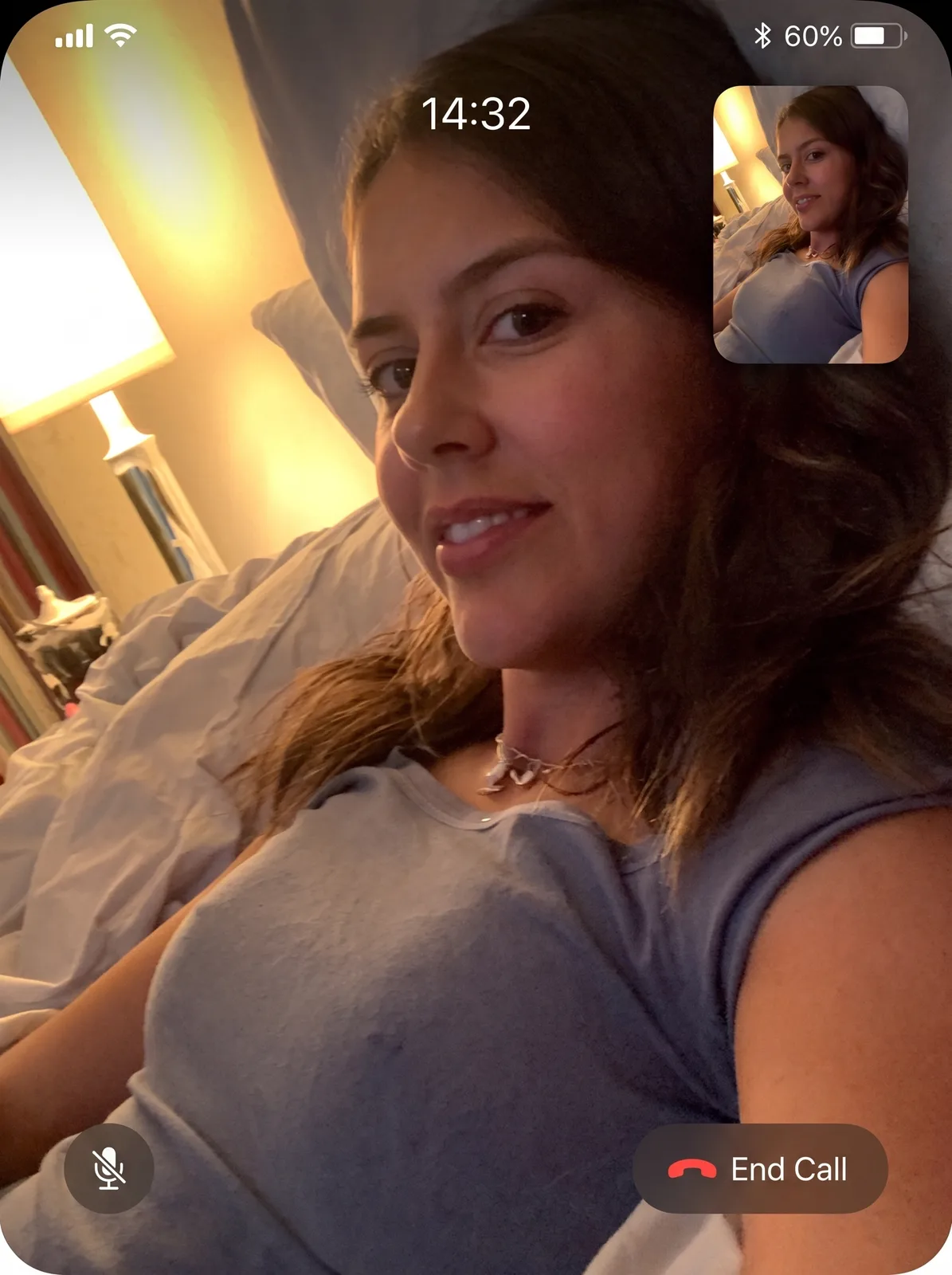

drag to compare — this is a real result from this exact prompt
Video Call Screenshot
0 steals· updated sep 2026
Full prompt
Transform this uploaded photo into a screenshot of a live video call, like a genuine freeze-frame from a FaceTime or video chat app. Keep the person's face, identity, expression, and pose exactly as they appear in the original photo — do not change who they are or how they're posed, only restage the presentation as an in-call screen capture.

Add authentic video-call interface elements around the edges of the frame: a small rounded self-view thumbnail tucked in one corner, a call duration timer ticking near the top, subtle signal and battery icons, and a soft rounded-corner vignette like a phone screen being photographed. Keep these UI elements small, legible, and placed at the edges so they don't cover the face.

Preserve the original lighting, background, and composition of the photo — only add the believable screen-capture framing and interface chrome on top, without smoothing skin, adding plastic texture, or losing the natural grain of the source photo. Avoid garbled or nonsense text in any interface label; keep on-screen text minimal and legible.

The final result should look like someone screenshotted a video call mid-conversation with someone they love, worth sending back to them.
How to use — free
01
Steal the prompt
Hit the button — the full prompt is on your clipboard.
02
Open Gemini or ChatGPT
Start a new chat and attach a clear photo of yourself (face visible, good light).
03
Paste & generate
Paste the prompt, send, and download your result. Tweak words to taste.
Questions
Is the Video Call Screenshot prompt free?
Yes — completely free. No login, no credits, no paywall. Click the copy button and the full prompt is yours.
Which AI tools work with the Video Call Screenshot prompt?
It's tested with Gemini and ChatGPT. Attach a clear photo of yourself, paste the prompt, and generate.
Can I edit the prompt?
Absolutely — that's the point. Swap any clause (lighting, mood, film stock, setting) to make the result yours.