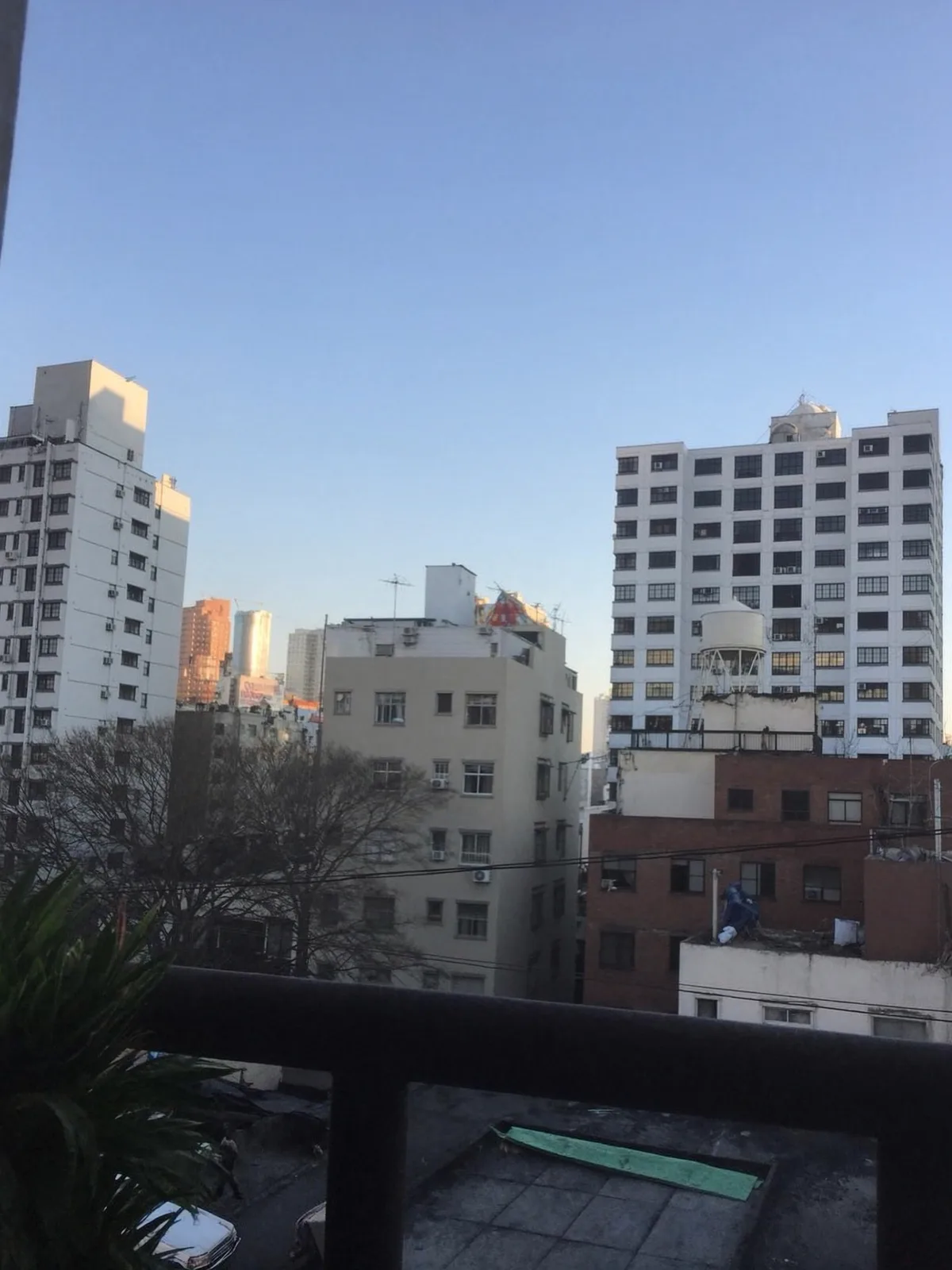
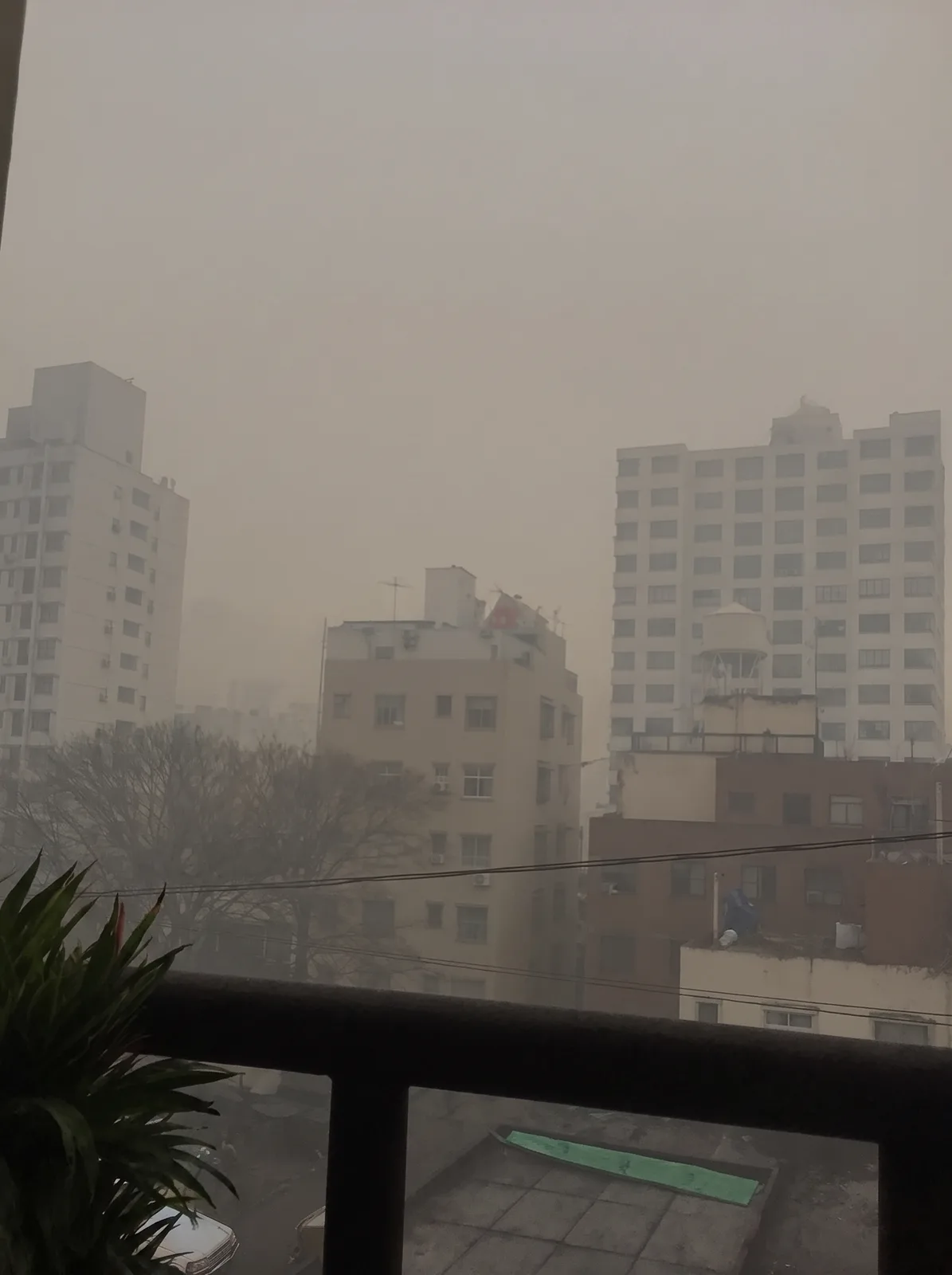
drag to compare — this is a real result from this exact prompt
Skyline Haze Remover
0 steals· updated sep 2026
Full prompt
Clear the haze and smog from this uploaded photo. Cut through the thick atmospheric murk sitting over the skyline and restore crisp, true contrast to every building edge, rooftop, and antenna from foreground to the farthest tower on the horizon.

Keep the composition, camera angle, and framing exactly as shot — do not crop, straighten, or recompose the scene. Preserve the actual buildings, their proportions, and the time-of-day lighting and shadow direction; only remove the haze layer sitting between the lens and the skyline, not the buildings themselves.

Avoid over-sharpening or an artificial HDR look — keep natural color grading, authentic sky tones, and the original grain and texture of the photo. Do not smooth or plasticize any surfaces, and do not invent new buildings, signage, or details that were not in the original frame.

The final result should look like the exact same photo taken minutes later once the air had cleared — the same skyline, same light, just crisp and clean instead of choked with smog.
How to use — free
01
Steal the prompt
Hit the button — the full prompt is on your clipboard.
02
Open Gemini or ChatGPT
Start a new chat and attach a clear photo of yourself (face visible, good light).
03
Paste & generate
Paste the prompt, send, and download your result. Tweak words to taste.
Questions
Is the Skyline Haze Remover prompt free?
Yes — completely free. No login, no credits, no paywall. Click the copy button and the full prompt is yours.
Which AI tools work with the Skyline Haze Remover prompt?
It's tested with Gemini and ChatGPT. Attach a clear photo of yourself, paste the prompt, and generate.
Can I edit the prompt?
Absolutely — that's the point. Swap any clause (lighting, mood, film stock, setting) to make the result yours.